Field Report · Tech Stacks
I De-Granola'd Myself: Granola vs Talat vs Plaud
Granola is the notetaker everyone trusts. I stopped paying for it in April, moved my desk meetings to an app that transcribes on my Mac, and kept a Plaud recorder for everything else. Then I read all three sets of terms.

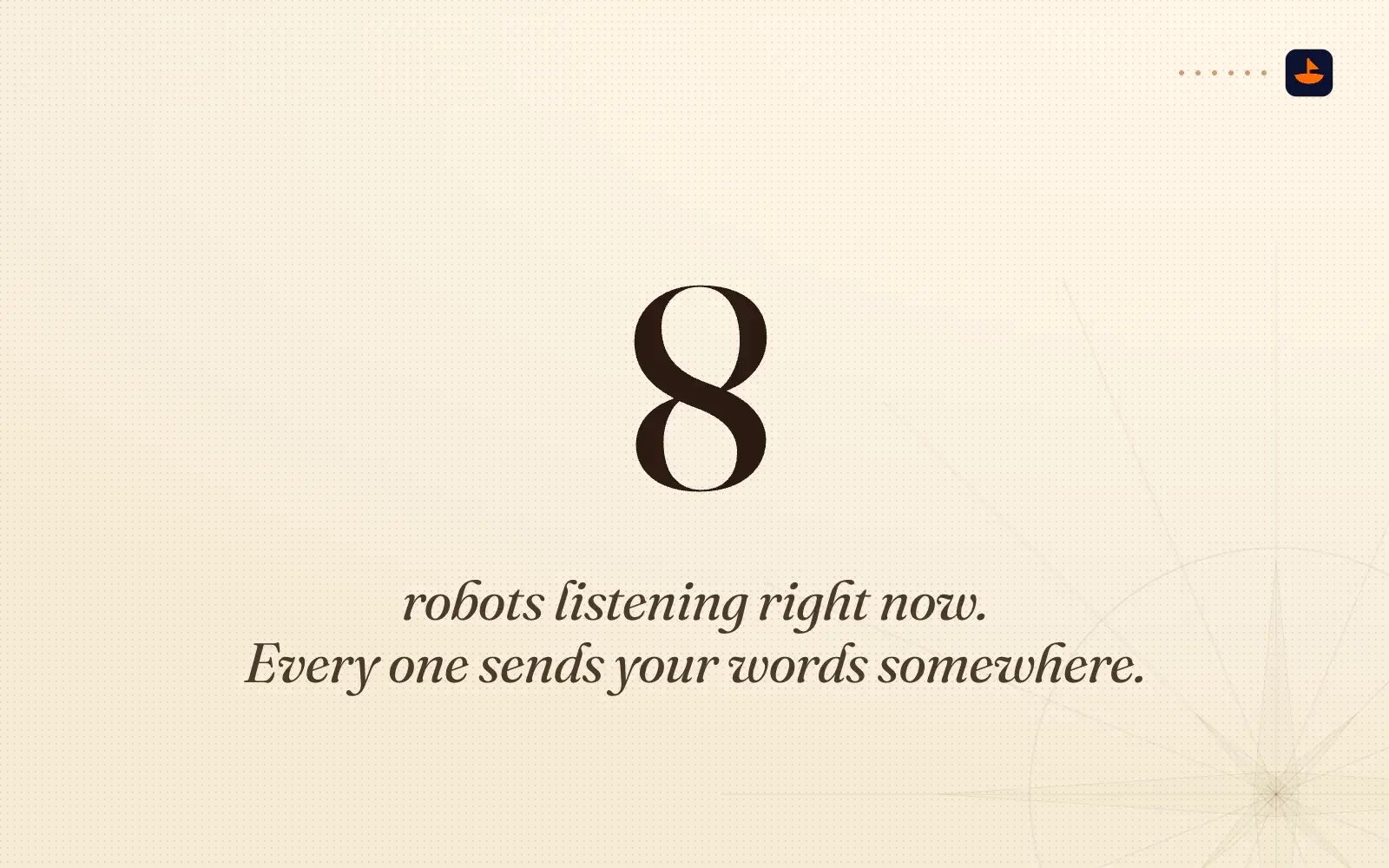
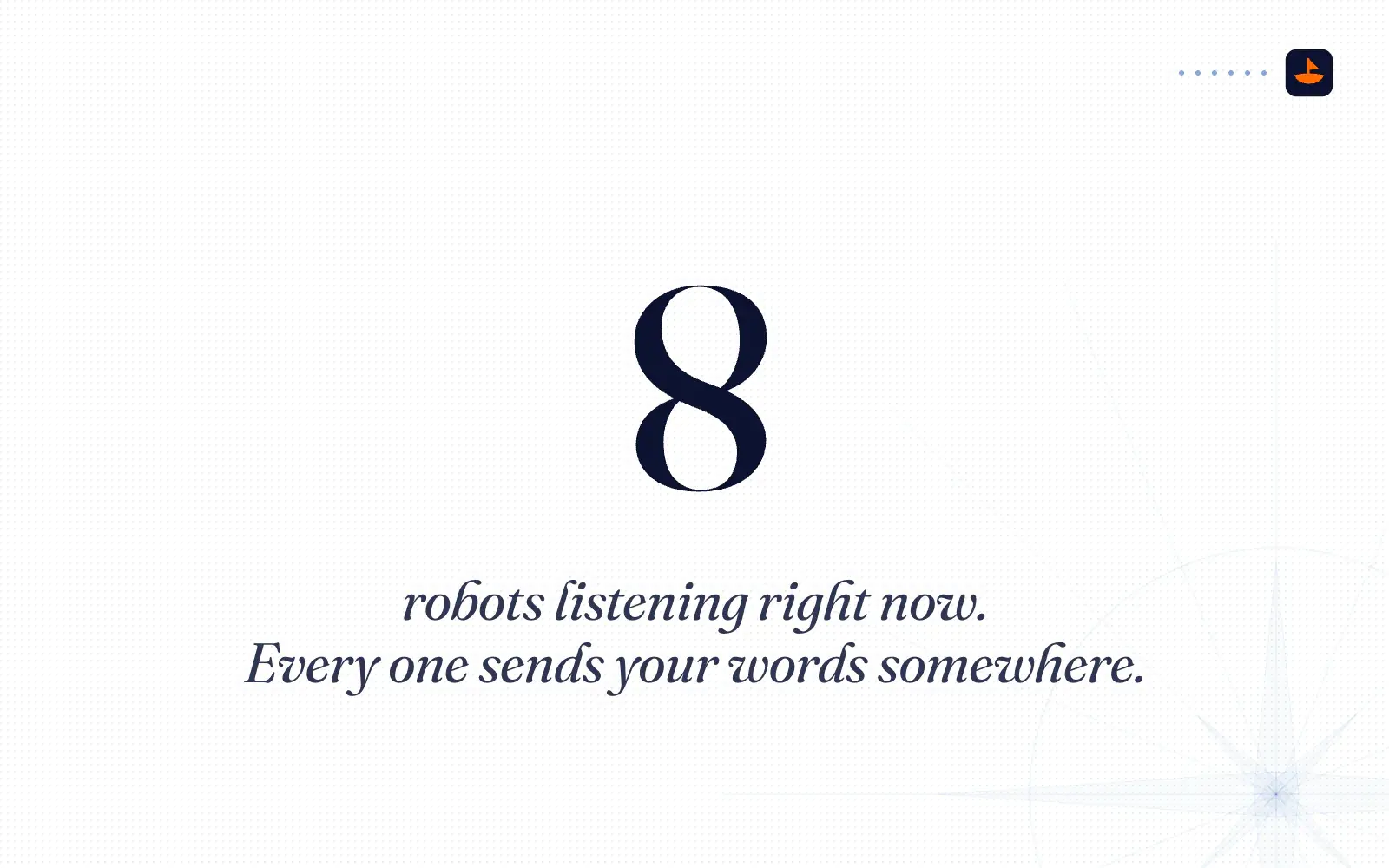
In September I joined a call and counted the note takers out loud. One tool was trying to take notes, another one already was, Zoom was making its own transcript, and an app on my Mac was transcribing locally. A recorder in the room caught what I said next: "Dude, I have like way too many note recording tools... It's like eight robots listening right now."
Every one of those robots sends your words somewhere. This post is about where.
I've used three capture tools for real. Granola took my meeting notes until April 2026. Talat, a meeting app that transcribes on the computer itself, has recorded my desk meetings since April 1. Plaud, a small AI voice recorder, has caught the conversations away from my desk since September. For this post I read each company's terms, privacy pages and help docs, priced each one over three years, and went back through my own recordings to see where the AI summaries went wrong.
Why I left Granola
Granola is the default for a reason. It doesn't send a bot into your call. It listens to your computer's microphone and system audio, writes tidy notes, and plugs into Slack, Notion, HubSpot, Attio and Zapier, plus Claude and ChatGPT through its MCP connector. In March 2026 it raised a $125 million Series C at a $1.5 billion valuation.
In April I stopped paying for it. Here's how I put it to my team that week:
"Even if we had a million dollars in the bank, I wouldn't want to pay for Granola, just because they're locking a lot of the data behind their paywalls, and I want to move away from tools that take your data and train on it and not let you train on it yourself."
Two days later, on another call, I said I had de-Granola'd myself: "When our meeting's done, it goes to my own database." That was the whole point. I wanted the record of my meetings to live somewhere I control.
That was my gut talking. For this post I read the documents, and some of my complaints hold up better than others.
What Granola costs
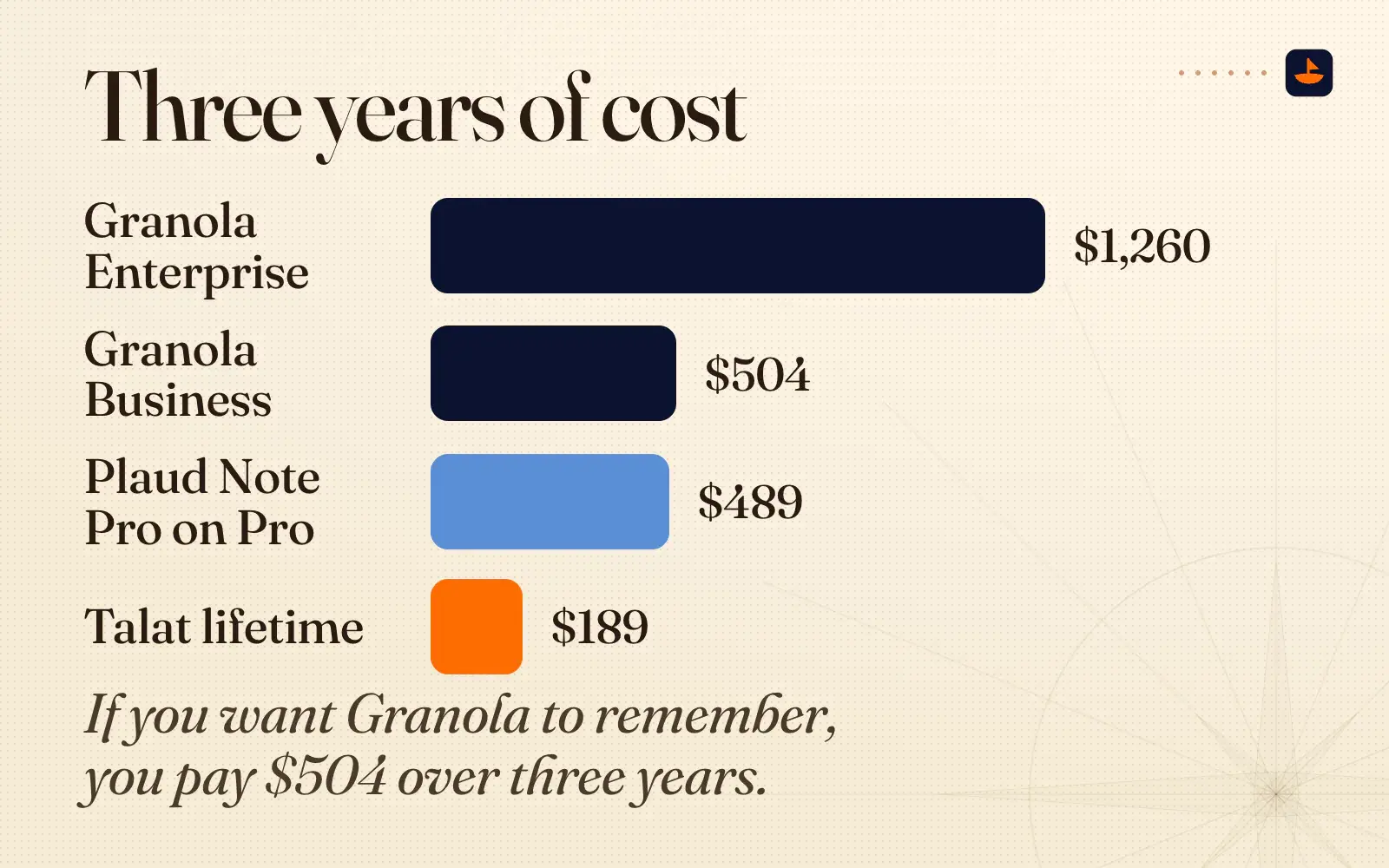
Granola has three plans. Basic is free, Business is $14 per user per month, and Enterprise starts at $35. Its help center says "Annual billing is available on Enterprise contracts only; Basic and Business are billed monthly," so there's no yearly discount on Business. Over three years, one Business seat is $504 and one Enterprise seat is $1,260.
The free plan is where my paywall complaint came from, and the help center confirms it: "On Basic, notes older than 30 days are stored (not deleted), but they aren't accessible in the app until you upgrade." The MCP connector, the piece that lets Claude or ChatGPT read your meetings, only reaches "Personal notes from the last 30 days" on Basic, and the API is for Business and up.
To be fair to Granola, the history isn't trapped. You can export a CSV with "the title, note summary, transcript" of your full history, older notes included, even on the free plan. It's just slow and narrow. The file is "emailed to you within a few hours," you get one export every 24 hours, it "only includes notes that have a summary," and "There is no company-wide or admin-level export." On Enterprise, export is "disabled by default."
One more line is worth reading before you cancel, as I did. Granola's Platform Terms say that if you become "inactive in using the Service, including no longer paying for such Service, for more than thirty (30) days, Granola may delete the applicable account(s) and related data after using reasonable efforts to notify" you. The help center says old free-plan notes are hidden, not deleted. Both can be true, but if you're leaving, export first.
What Granola's terms say about training
Here I have to correct myself a little. I said Granola takes your data and trains on it. The terms say something narrower than that.
On Basic and Business, Granola can use your data unless you opt out. On Enterprise it's the reverse, and only if you opt in. Section 6.2.2 of the Platform Terms gives Granola a "perpetual right and license to access and use Customer Data provided to Granola in connection with the Services to generate aggregated and de-identified data derived from Customer Data and use such data to improve, test, train, and operate Granola's products and services." The switch is one setting called "Use my data to improve models for everyone."
Two things work in Granola's favor. It "does not allow third parties to use Customer Data to train Third-Party Models," so OpenAI and Anthropic aren't training on your meetings through Granola. And the license you grant for running the service is narrow: "Granola will not sell Customer Data," and that license lasts "Solely during the Subscription Period and solely for the Customer."
Two things don't. Granola's security FAQ says "We cannot guarantee that anonymised data wasn't used before you changed the setting," and its privacy policy says de-identified data in its models "may remain in those models and datasets indefinitely." So if this matters to you, turn the setting off on day one.
So the first half of my complaint holds on the two cheaper plans, with the caveat that it's de-identified data and you can switch it off. The second half, "not let you train on it yourself," is softer than I made it sound. You can get your transcripts out. It just takes a CSV and some patience.
Where your audio goes with Granola
Granola's transcription doc says it "passes audio directly from your microphone and system audio to our transcription provider" and "does not record or save audio or video at any point during the call." That's a real point in its favor: no audio file is saved. The words still travel.
Granola's subprocessor list names Deepgram and AssemblyAI for transcription. Six more companies are listed for AI processing: Anthropic, OpenAI, Google Cloud, xAI, Fireworks.ai and TypeSafe AI. That's eight AI and transcription companies on the list. Not every meeting touches all eight, and Granola doesn't publish which model handles which feature. Of its 17 subprocessors, all but one are hosted in the US, and Granola says "We do not offer EU, UK, or other regional data residency at this time."
Once the notes exist, they stay: "Notes and transcripts are retained indefinitely unless deleted or a transcript auto-deletion period is set." You can set transcripts to auto-delete after anywhere from 1 day to 1 year. If you delete your account, Granola says "all your data is permanently removed from our systems within 30 days." Its security paperwork is real too: Granola reached SOC 2 Type 2 in July 2025.
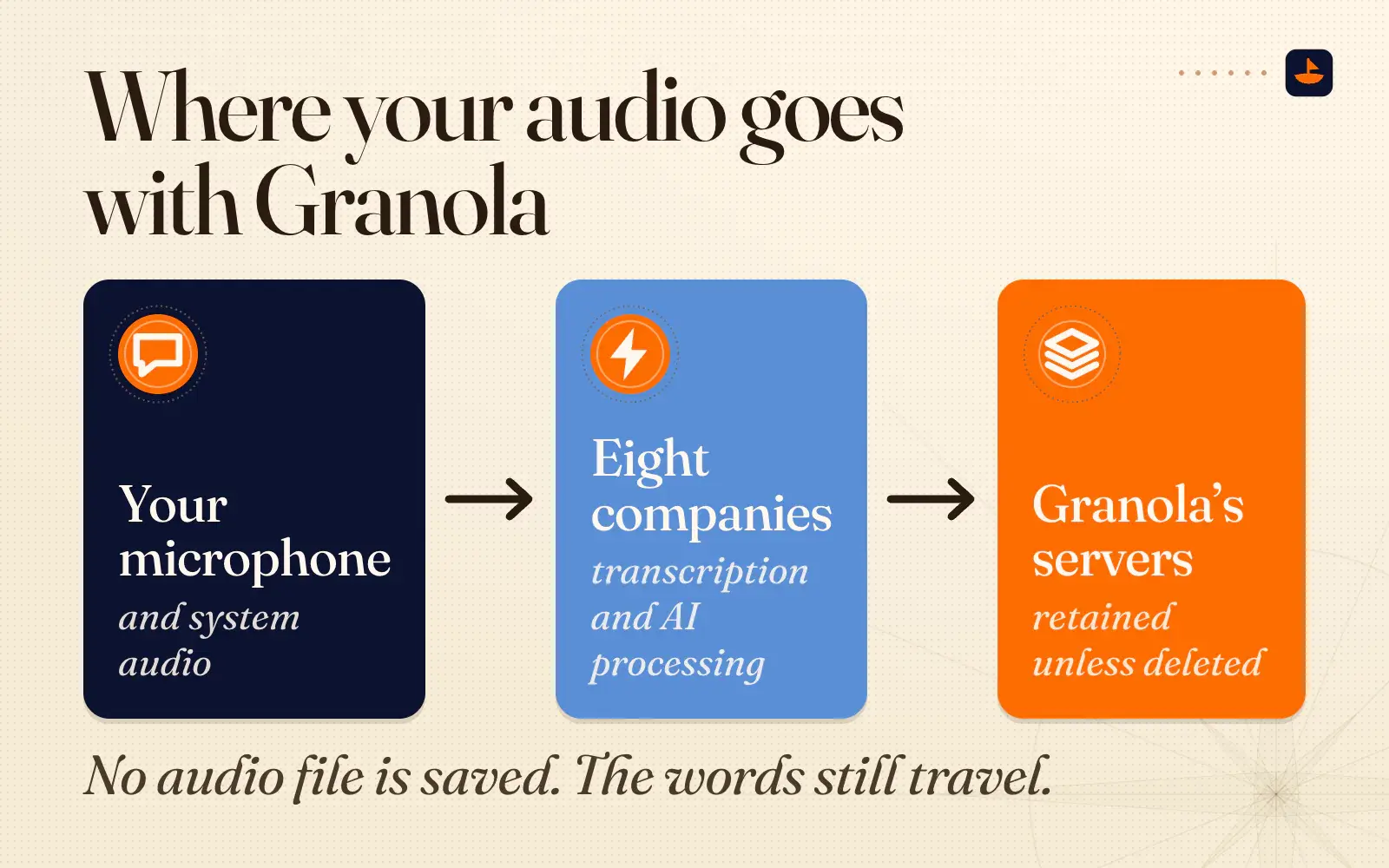
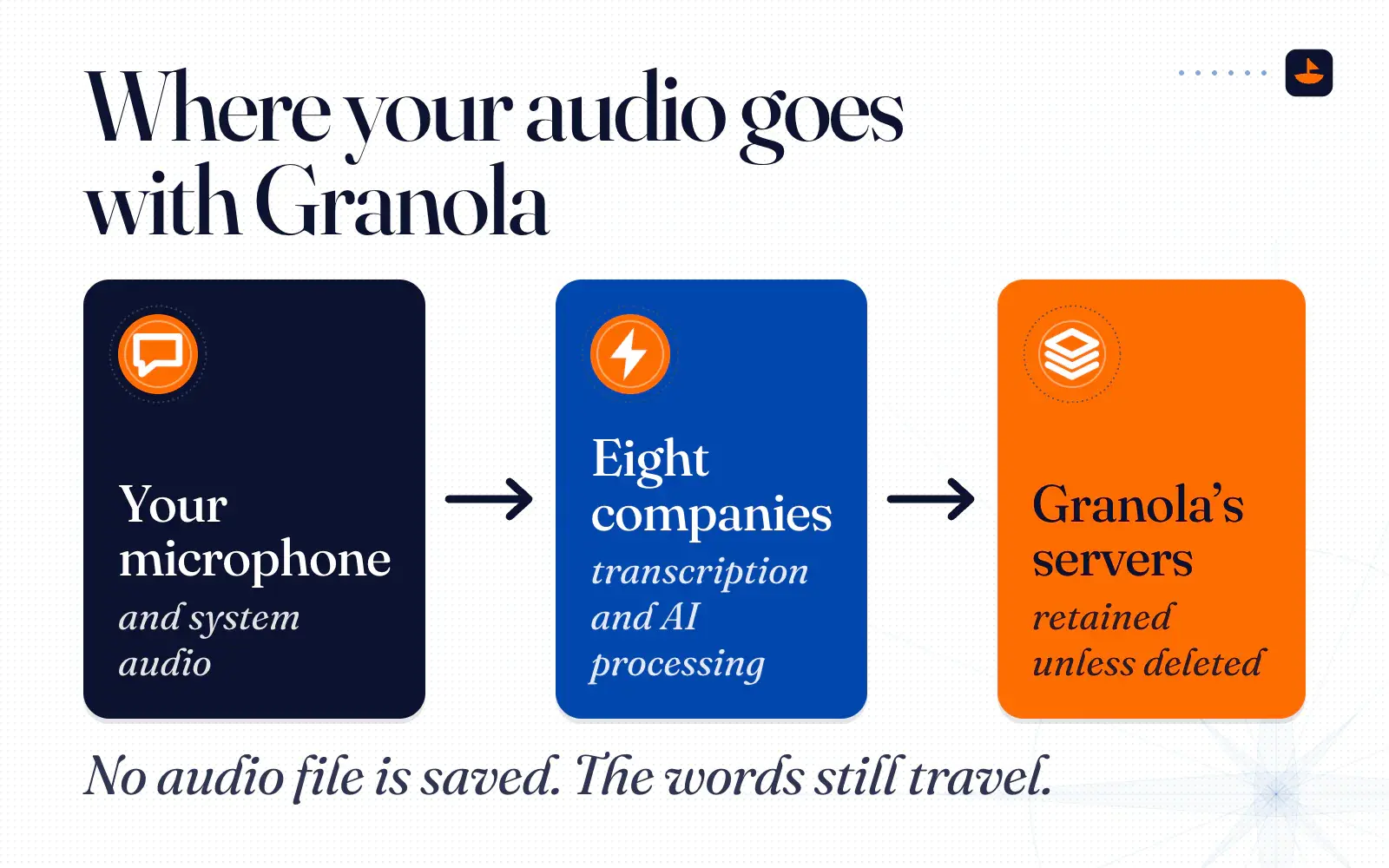
So when I say you trade some security for Granola's convenience, this is what I mean. It isn't sloppy. Your words have to leave your machine for Granola to work, a list of outside companies can see them, and the notes stay on Granola's servers until you delete them.
Talat, the one at my desk
Talat is a meeting app for Mac and Windows made by two developers in Yorkshire, England, with no venture funding. Its own pitch is "Think Granola, but local." That's how I described it to my team the week I switched: "It's basically a local version of Granola."
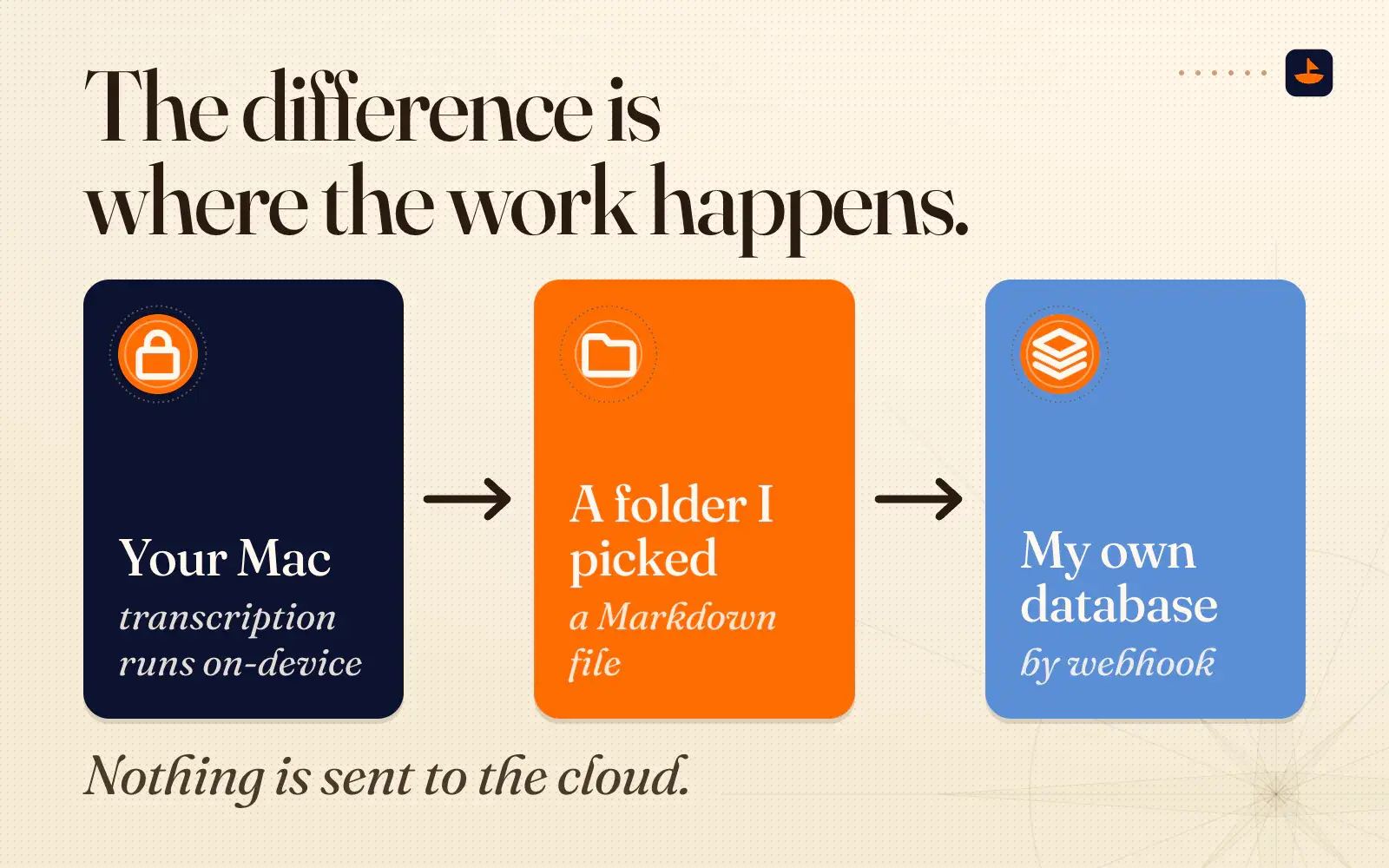
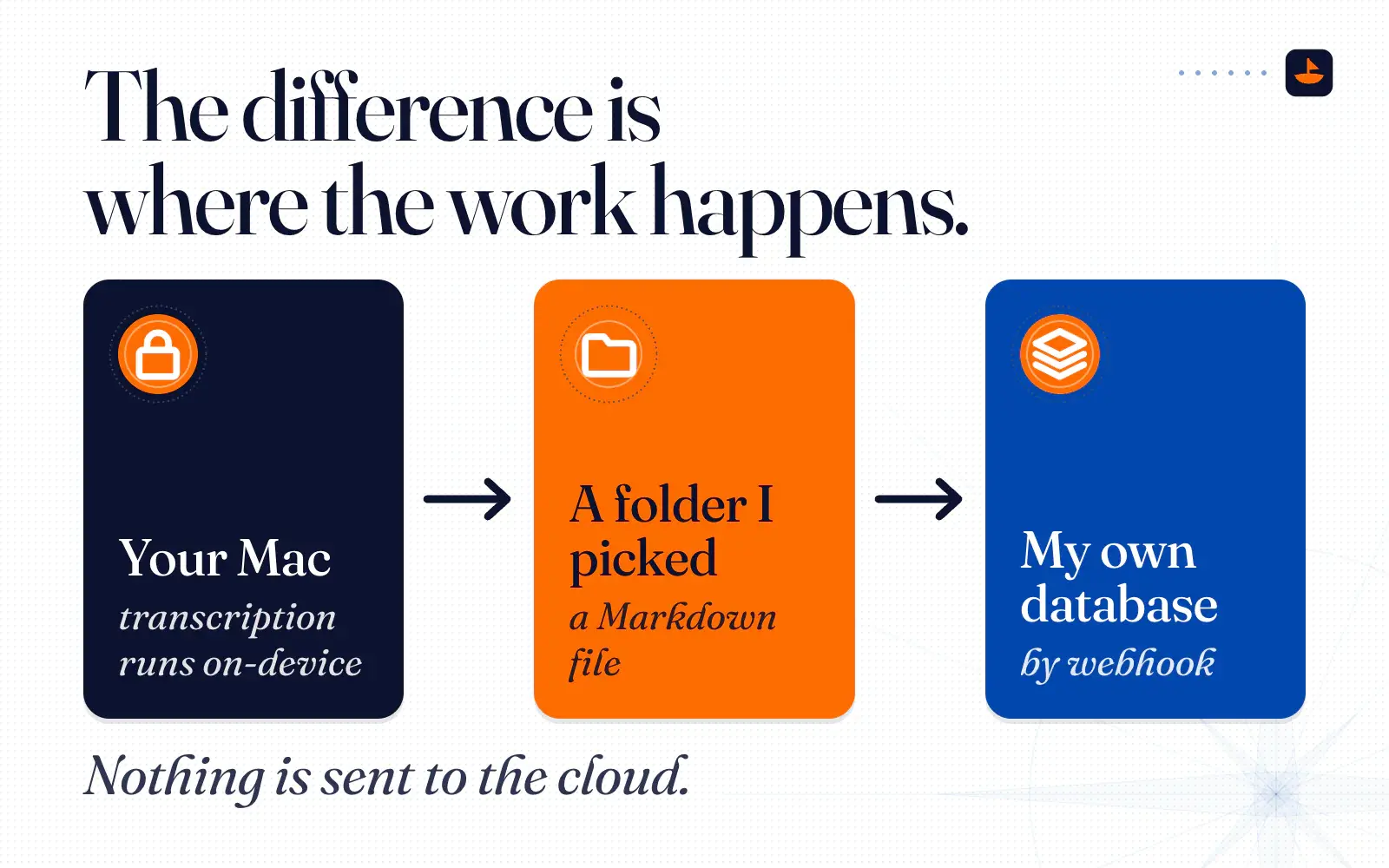
The difference is where the work happens. Talat's docs say "All transcription runs on-device. Nothing is sent to the cloud." Summaries run on a small model that ships with the app, Qwen3.5-4B, unless you point it at Ollama on your own machine or, with your own API key, at OpenAI or Anthropic. Its privacy policy says that by default "none of this data is sent to us or to any third party." What it does send home is a small ping with a random install ID, the app version and your license status, and that ping "never includes your recordings, transcripts, or anything else about your meetings." Its FAQ says it works fully offline "aside from a periodic background licence check."
When I explained it to a room in September, this is what I said:
"This is local. I could put my computer in airplane mode... We could go full-blown, like local nuke, you know, zero worries about anything. Capture, then file."
Here's what I actually like about it after seven months:
- The price. I paid about $50, once, during its pre-release. TechCrunch reported the pre-release price as $49 in March 2026, and Talat says a pre-release license "is a lifetime licence." A new buyer today pays $9 a month, $89 a year or $189 once.
- It writes files I own. Every finished meeting lands as a Markdown file in a folder I picked, with the audio next to it if I want it. Talat says that folder "can be any folder on your machine." It can also post each meeting to a webhook, so mine goes to my own database too, and you can bulk-export your whole history at once.
- Agents can read it. Talat runs an MCP server, so "any MCP-aware assistant" can read and write your meetings.
- It knows who's talking. Speaker identification runs on the device, and "Once talat knows a voice it identifies them in future meetings." As I told a room full of people, "It logs everyone in here."
- It holds up. In September I said it plainly: "I've been using it, it's bombproof. It's great."
It has rough edges. Talat isn't SOC 2 certified, and its FAQ says why: "There's nothing on our side for SOC 2 to audit," because Talat doesn't run servers that hold your meetings. It makes no HIPAA claim. A local tool moves the security job onto you: your disk, your backups, your laptop's login. And it's only as good as the microphone. In one group meeting I said a single DJI clip-on mic wasn't enough for a room full of people, and that "the quality of this will get better when the quality of the mics get better." So I wrote a small app for a plain handheld recorder with big mics. When its card is plugged in, the app copies each recording, runs it through Talat on the same Mac, and files the transcript next to the audio.
Plaud, the recorder I carry
Plaud makes small AI voice recorders. On its US store the Note Pro is $189 and the NotePin S is $179, and every device includes the free Starter plan with 300 transcription minutes a month. Pro is $17.99 a month or $99.99 a year for 1,200 minutes. Unlimited is $29.99 a month or $239.99 a year.
I use mine for the conversations that don't happen at my desk: in-person meetings, and voice memos after a workout.
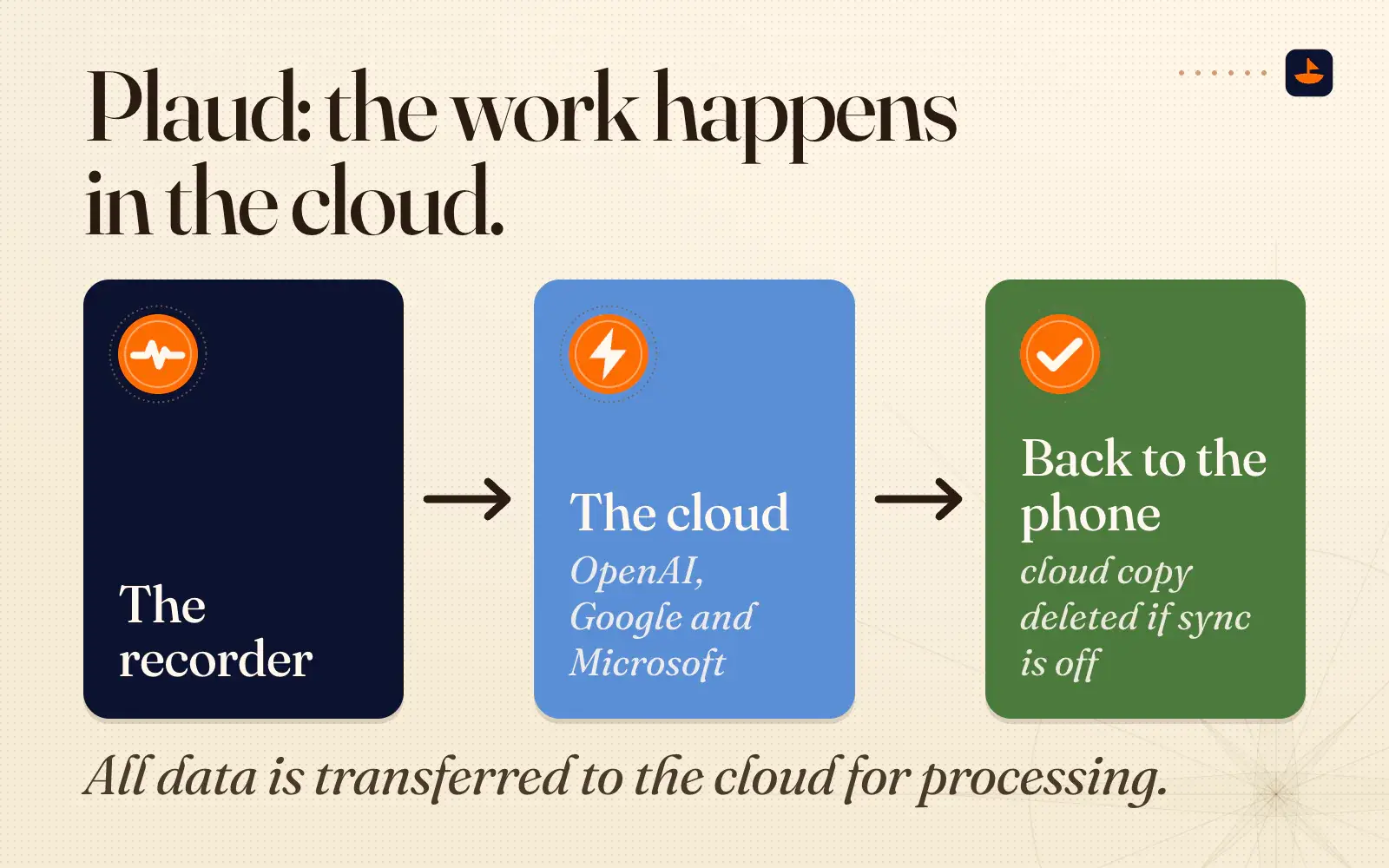
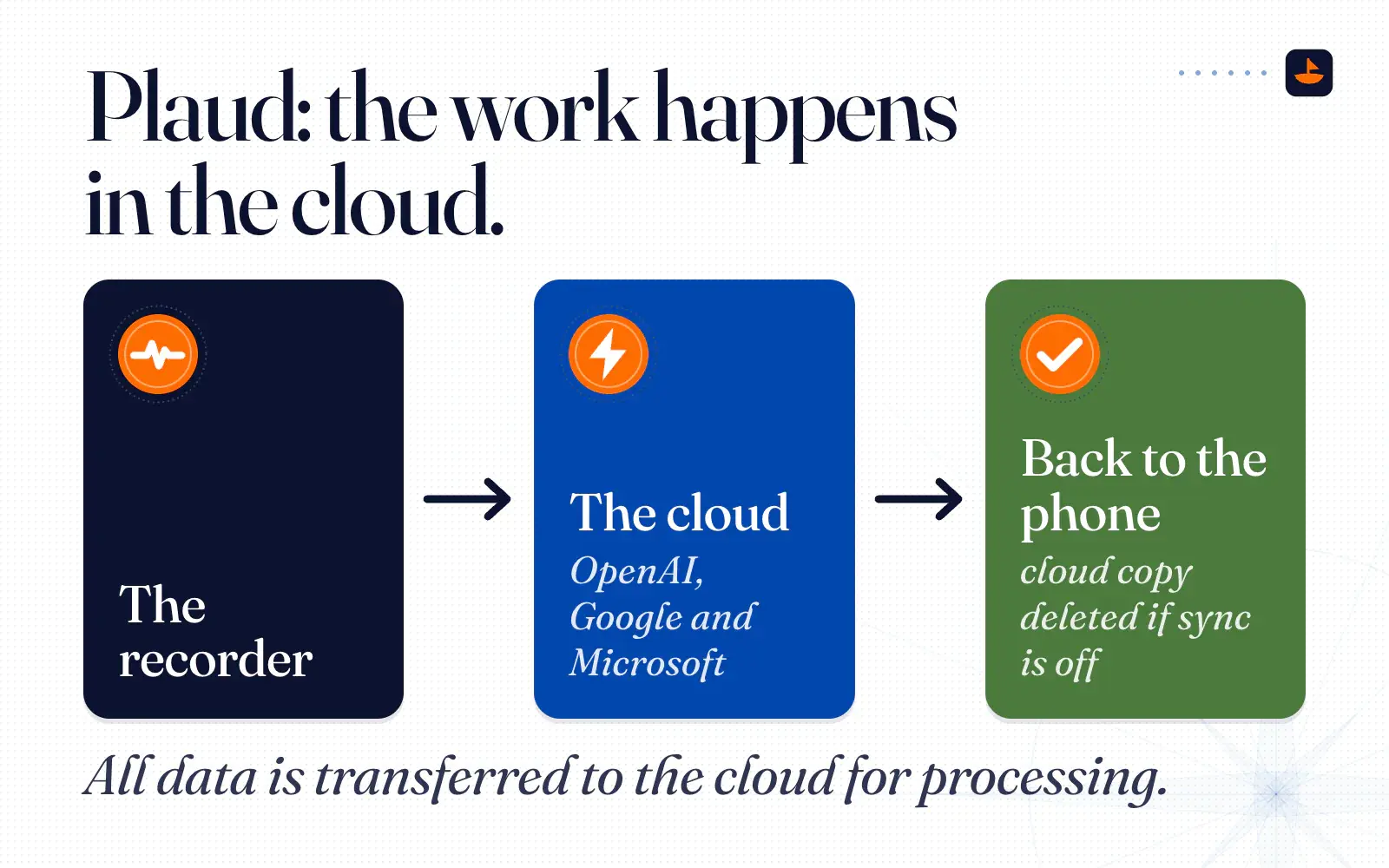
I put Plaud in the same bucket as Granola, because the work happens in the cloud. Plaud's trust page says "All data is transferred to the cloud for processing." Its help center names OpenAI, Google and Microsoft as the three AI providers for transcription and summarization. Its trust page names "GPT, Claude, and Gemini." The two pages don't agree on Anthropic, so ask before you assume.
The documents make Plaud look better than I expected on three points:
- Training is opt-in. Plaud's privacy policy says it will never use your content "to train, optimize, or develop our own or any third-party artificial intelligence (AI) or machine learning models unless we have obtained your explicit and informed consent in advance." That's the opposite of Granola's default on its two cheaper plans.
- You can keep the cloud copy off. With Private Cloud Sync off, the audio still goes up to be processed, but "If cloud sync is disabled, all associated data will be deleted from the cloud once it is transferred back to the phone." Turning sync off later "only stops future uploads," so older recordings stay in the cloud until you delete them.
- The HIPAA paperwork covers every plan. More on that below.
It's worse on one: getting your audio out. On firmware 2.1 and later, "Access via USB and RAW files are disabled for data compliance." The way out is the app, then export one file at a time. Plaud's own FAQ asks "Can I export multiple files at once?" and answers "Not currently." Transcripts come out as TXT, SRT, DOCX or PDF, notes as TXT, Markdown, DOCX or PDF, and audio as MP3 or WAV. There's no public API, though Plaud now offers an MCP connector and a command line tool.
One more thing I've learned from my own files: in a loud group, Plaud's speaker labels can merge two people into one. Its help center says other speakers "appear as Speaker 1, Speaker 2, and so on," and names you add "apply only to that recording." So nothing from Plaud leaves my own files until I've read the raw transcript.
The HIPAA switch that isn't a switch
I'd heard Plaud has a HIPAA setting you can turn on, and I liked that. The documents describe something a little different. Plaud says "All certifications and compliance standards apply to all plans," HIPAA included, and that it "has obtained a HIPAA Validation Report." The piece a clinic would actually need, a Business Associate Agreement, is a request: "To request a signed Business Associate Agreement (BAA), contact privacy@plaud.ai." I couldn't find a HIPAA toggle in Plaud's docs. The toggle that exists is Private Cloud Sync.
Plaud is also clear about the limit. It "does not automatically redact patient-identifiable information (such as names, date of birth, or medical record numbers) that is spoken in a recording before it is processed by an AI model."
Compare that with Granola, where "HIPAA support and BAAs are not available on Free or Business plans." You need Enterprise, at $35 a seat a month. Talat makes no HIPAA claim at all, and by default it sends nothing about your meetings to anyone. I'm not your lawyer, so if you handle patient data, take the BAA question to someone who is.
Side by side
| Granola | Plaud | Talat | |
|---|---|---|---|
| Price | Free (30 days of history in the app), Business $14/user/month, Enterprise from $35 | Device $159 to $189, then free (300 min/month), Pro $99.99/year or Unlimited $239.99/year | $9/month, $89/year or $189 once |
| 3 years, one person | $504 on Business, $1,260 on Enterprise | $189 to $909 with a Note Pro | $189 lifetime |
| Where audio is processed | In the cloud. Audio is passed to the transcription provider, not saved | In the cloud. With Cloud Sync off, no server copy is kept afterward | On your computer |
| Model vendors | Deepgram, AssemblyAI, Anthropic, OpenAI, Google Cloud, xAI, Fireworks.ai, TypeSafe AI | OpenAI, Google, Microsoft (help center); trust page says GPT, Claude, Gemini | Built-in Qwen3.5-4B on device. OpenAI or Anthropic only if you add your own key |
| Training on your data | On by default for Basic and Business (de-identified), one opt-out setting. Off by default on Enterprise | Only with your explicit opt-in | Nothing is sent to Talat by default |
| Export | CSV by email, one a day, notes with summaries only. API on Business and up | One file at a time: TXT, SRT, DOCX, PDF, Markdown, MP3, WAV. No public API, no USB | Markdown or PDF, auto-export to any folder, bulk export, webhooks, MCP |
| HIPAA | Enterprise only, with a BAA | Claimed on all plans. BAA by email request. No automatic redaction | No claim. Not SOC 2 certified |
| Works offline | No. Transcription runs in the cloud | Records offline. Transcription needs the cloud | Yes, apart from a periodic license check |
Three years of cost
Here's what one person pays over three years at today's list prices, before tax:
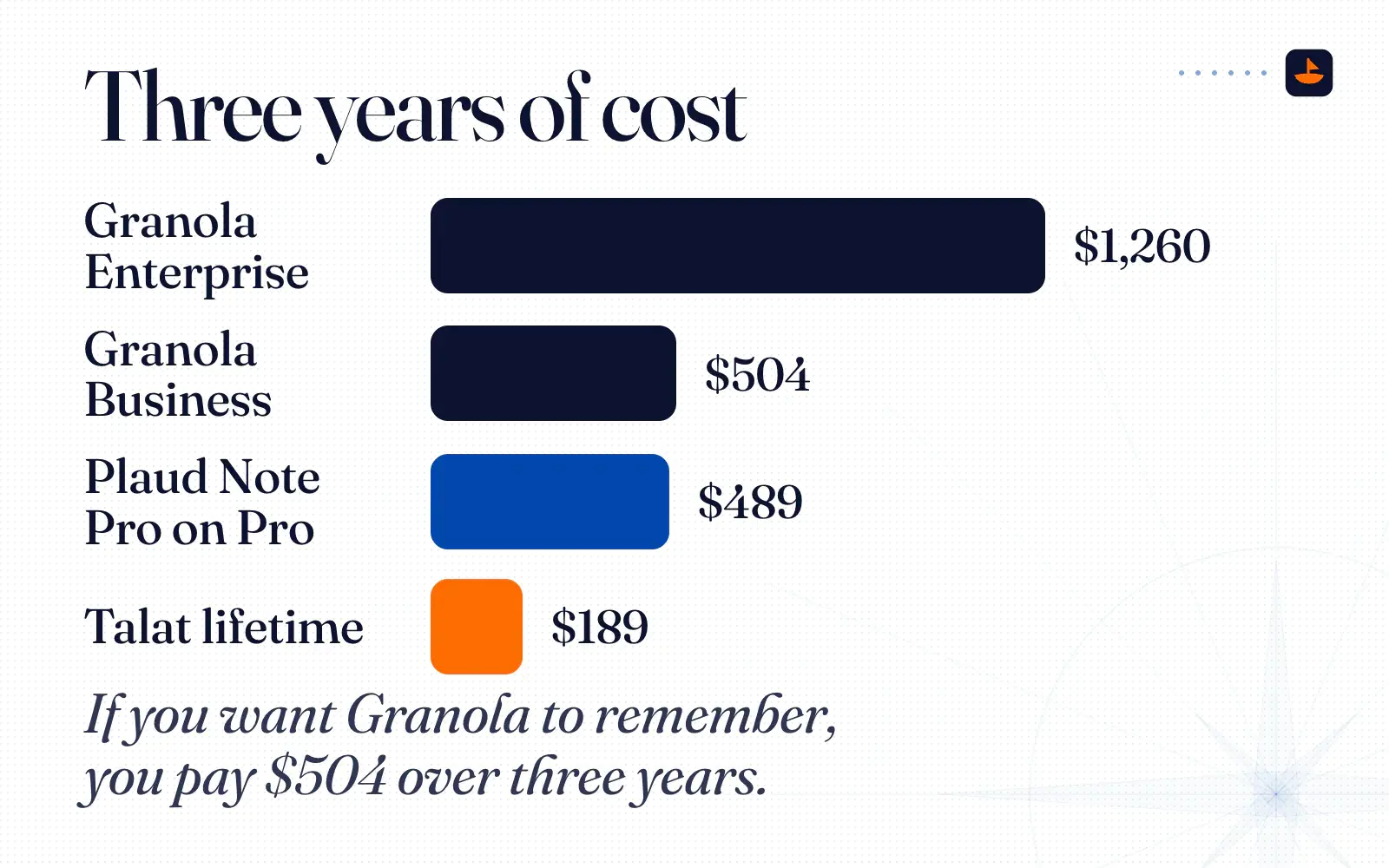
- Granola Business: $14 a month for 36 months is $504.
- Granola Enterprise: $35 a month for 36 months is $1,260. It's the only Granola plan with a BAA.
- Plaud Note Pro on Pro: $189 for the device plus three years at $99.99 is about $489. On the free Starter plan it's just the $189, with 300 minutes a month. On Unlimited it's about $909.
- Talat: $189 for a lifetime license, or $267 on the yearly plan. I paid about $50.
Granola's free plan costs nothing, but the app only shows you the last 30 days. If you want Granola to remember, you pay $504 over three years, which is 2.7 times Talat's lifetime license. At what I paid, it's about ten times.
What the AI summaries got wrong
The cost and the terms are half the story. The other half is what these tools write about you.
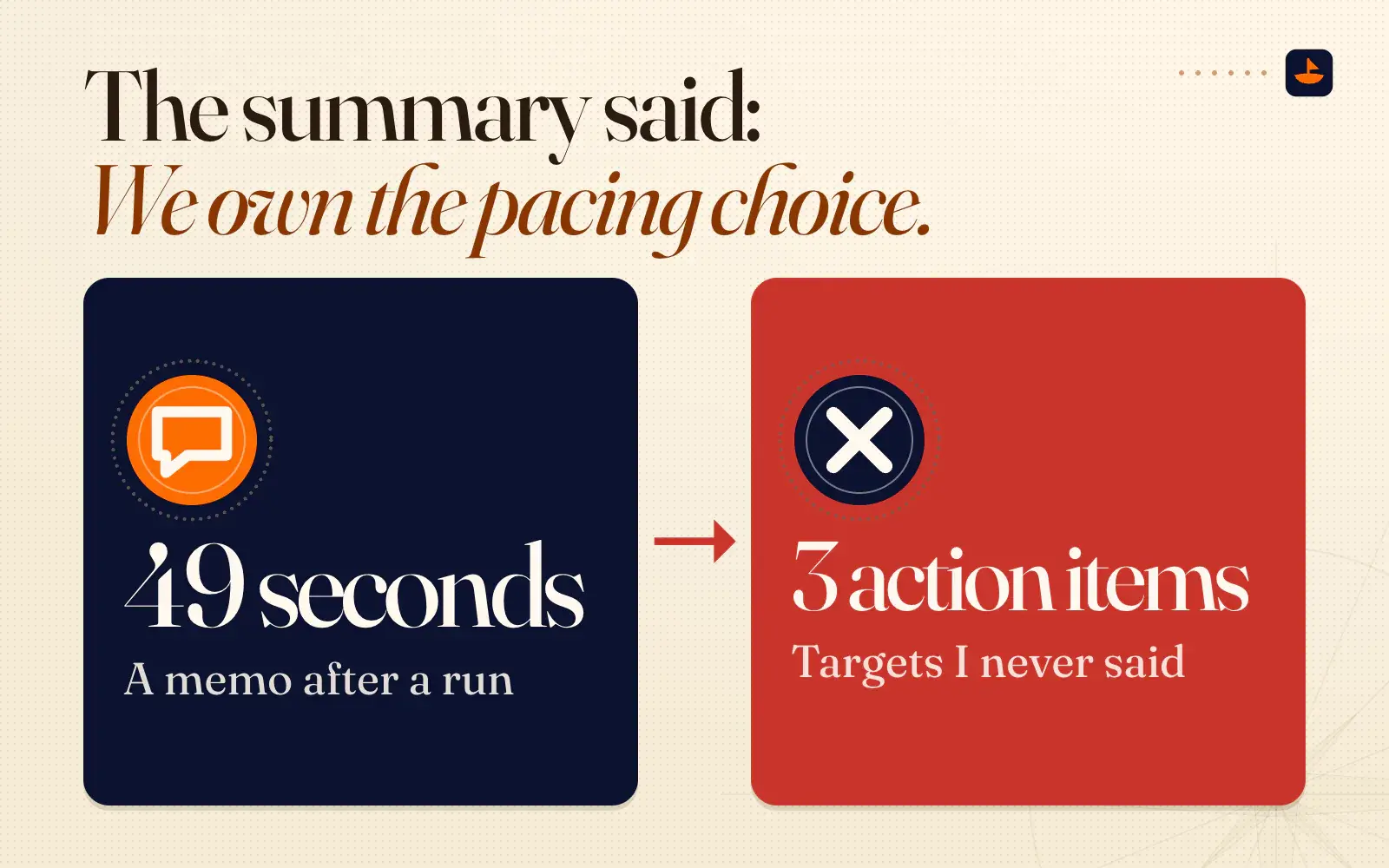
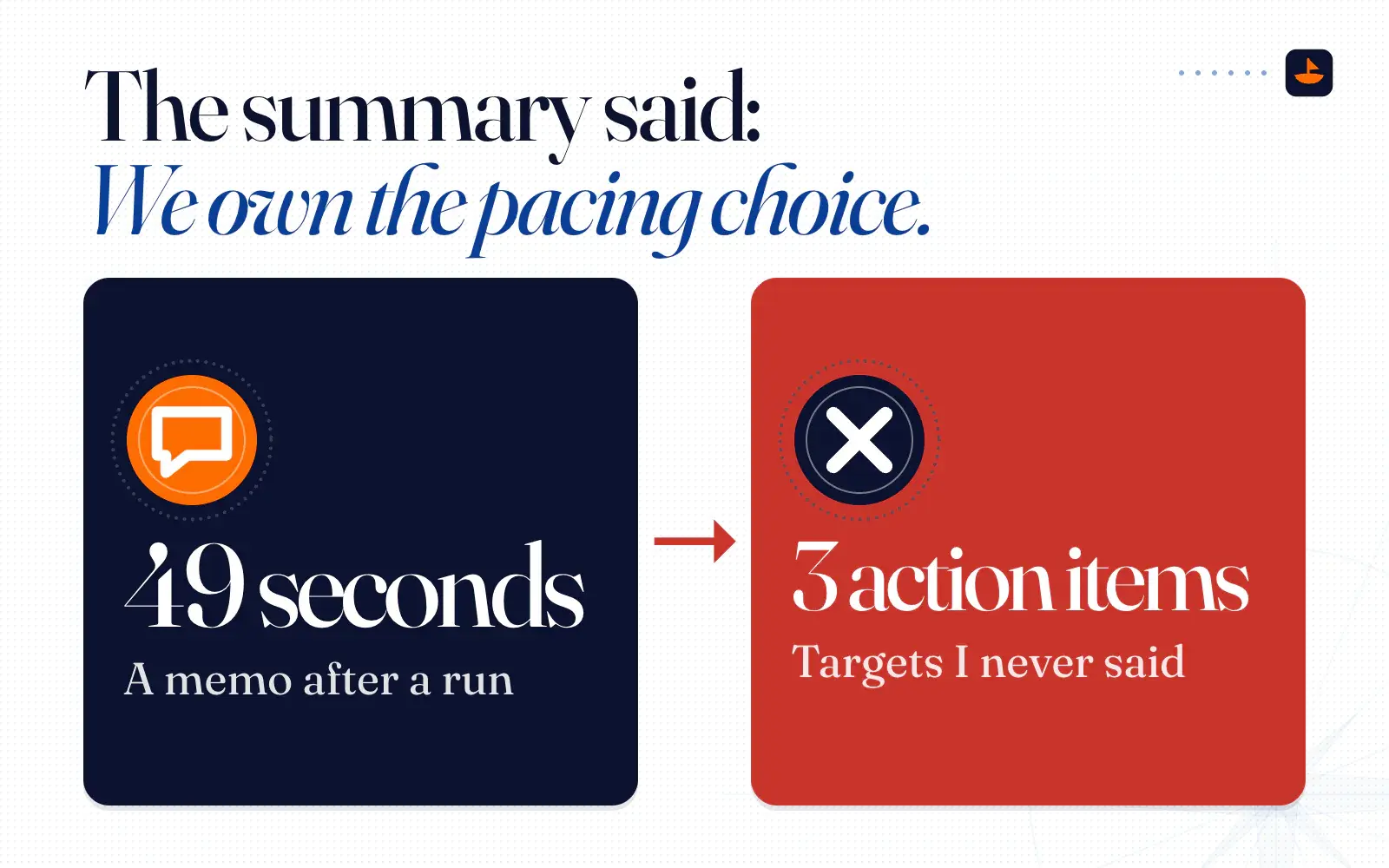
In September I recorded a 49-second voice memo after a run. Here's the heart of it, as Plaud transcribed it: "On the last run. Point eight two miles in six minutes. The second time, I went a lot faster. I did point three six in the first one, and then I think I did whatever point eight one minus three sixes on the second one. I've noticed with the runs that I find myself overloading too early, but then I catch my breath on the way back."
Plaud's summary turned that into a diagnosis, "a classic positive-split problem," complete with "lactate accumulation" and three action items with targets I never said, like a cap on "the first minute at a controlled pace (target: 10–15% slower than perceived max)." It called the second segment "shorter" when the numbers I gave make it longer. And it closed with a line I would never say to myself: "We own the pacing choice; we are committing to enforce controlled starts and progressive build."
A few days later, the eight robots minute got the same treatment. Plaud's summary said the meeting "opened with operational sloppiness and tool sprawl" and assigned an "@IT/Compliance Lead" to "Publish a one-page policy." Talat's summary of the same minute split me into two people, "the speaker" and "the user," and found "a possible disconnect in perspective" between them.
Talat's summary of the meeting where I told my team about the switch said "Granola is canceling services." Granola wasn't. Our paid plan was ending. And on a work meeting the recorder saved as two files, Plaud's summary only covered the longer file, so it missed the first decision we made, then listed four items as next steps that nobody had been assigned.
None of these tools is broken. A summary model is asked to find decisions, owners and next steps, so it finds them, even in 49 seconds about a run. That's why my rule is simple: the transcript is the record, and the summary is a draft. Nothing a summary says goes to another person until someone has checked it against the raw transcript.
Capture, then file
My setup now follows the rule I said out loud in September: capture, then file. Talat records every desk meeting and writes it to a folder on my own storage. Plaud records the rooms I walk into. A local agent picks up each new transcript, reads the raw text, and files it where it belongs. Nothing goes out to anyone until I've read it.
If you're picking a notetaker, ask these six questions before you let it into a meeting:
- Where does the audio go, and is it saved?
- Which companies see the words? Ask for the subprocessor list.
- Does it train on your data by default, and where's the switch?
- How long is it kept, and what happens when you stop paying?
- Can you export everything at once, in a format you can read without the app?
- If you handle health data, will they sign a BAA on your plan?
The short version
Granola is the most polished and the most connected. It doesn't keep your audio, but your words go to the cloud and a list of outside AI companies, it trains on de-identified data on its cheaper plans unless you switch it off, and it costs $504 over three years for it to remember more than 30 days. Plaud lives in the cloud too, but it doesn't train without your consent and its HIPAA paperwork covers every plan. Talat keeps the work on your Mac and writes plain files you own, for $189 once.
Whatever you pick, read the transcript, not the summary, and turn off the robots you don't need. I post what I'm building, and what I cut, on X @PalafoxPalmer.
Sources
- Pricing,
- Subscriptions and billing,
- Platform Terms
- Model training,
- Security, privacy and data FAQs,
- Privacy Policy
- Subprocessors,
- Transcription,
More sources
- Exporting notes,
- Transcript auto-deletion,
- Is Granola HIPAA compliant?
- Security,
- Integrations,
- Series C announcement,
- FAQ,
- About,
- Capabilities,
- Privacy Policy
- Transcription settings,
- Summary settings,
- Exports,
- Talat's AI meeting notes stay on your machine, not in the cloud,
- AI plan pricing,
- Device comparison,
- Starter, Pro and Unlimited plans,
- Trust,
- Privacy Policy,
- How your data is used in AI processing,
- Private Cloud Sync,
- Plaud's certifications and compliance,
- Does Plaud automatically mask patient-identifiable information?
- Export transcripts, notes and audio,
- Laptop doesn't recognize Plaud Note
- Auto speaker labeling,
- How can I get API access to my Plaud data?