Blueprint · Tech Stacks
Build a Free Whoop Alternative With AI: A Health Dashboard You Own
Three levels, from a one-minute AI chat to a dashboard that lives in a folder on your computer. Your wearable, your CSV files, your rules.
In April 2026 I built my own health and wellness dashboard with Claude while I was training for a HYROX race. It reads my wearable through a free site called intervals.icu, keeps everything in plain CSV files on my computer, and turns a morning check-in into a training plan for the day. I made a video about it, and this is the written version, step by step, with the kit you can download and a demo you can click through right now.
Here's why I bothered. In the video I put it like this: "I think your data that you are producing in your own body, I'm talking fitness data, sleep data, temperature data, I think you have a right to that information." The part I really don't like is this: "They get to train on your data, but they make it very hard for you to train on your own data."
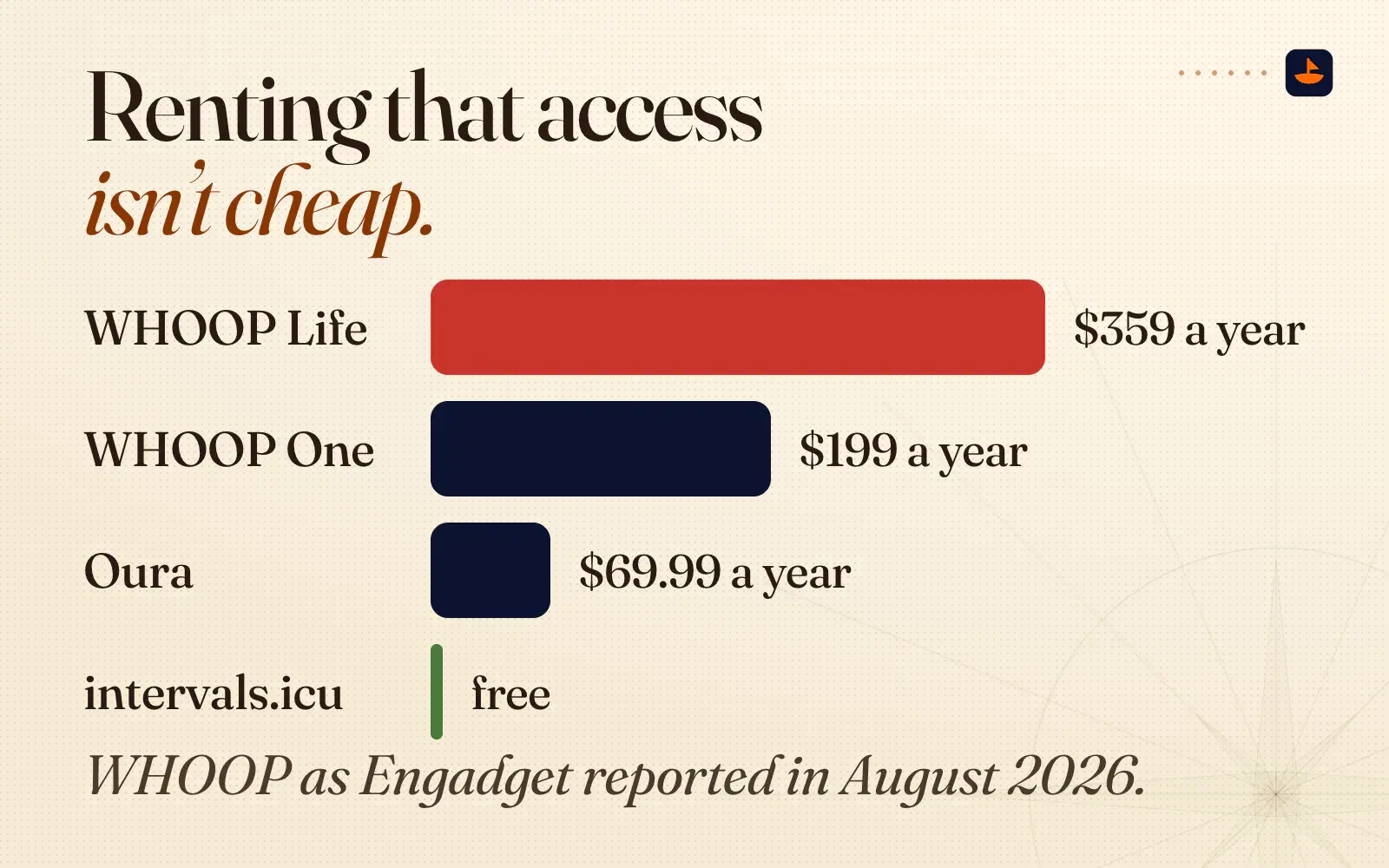
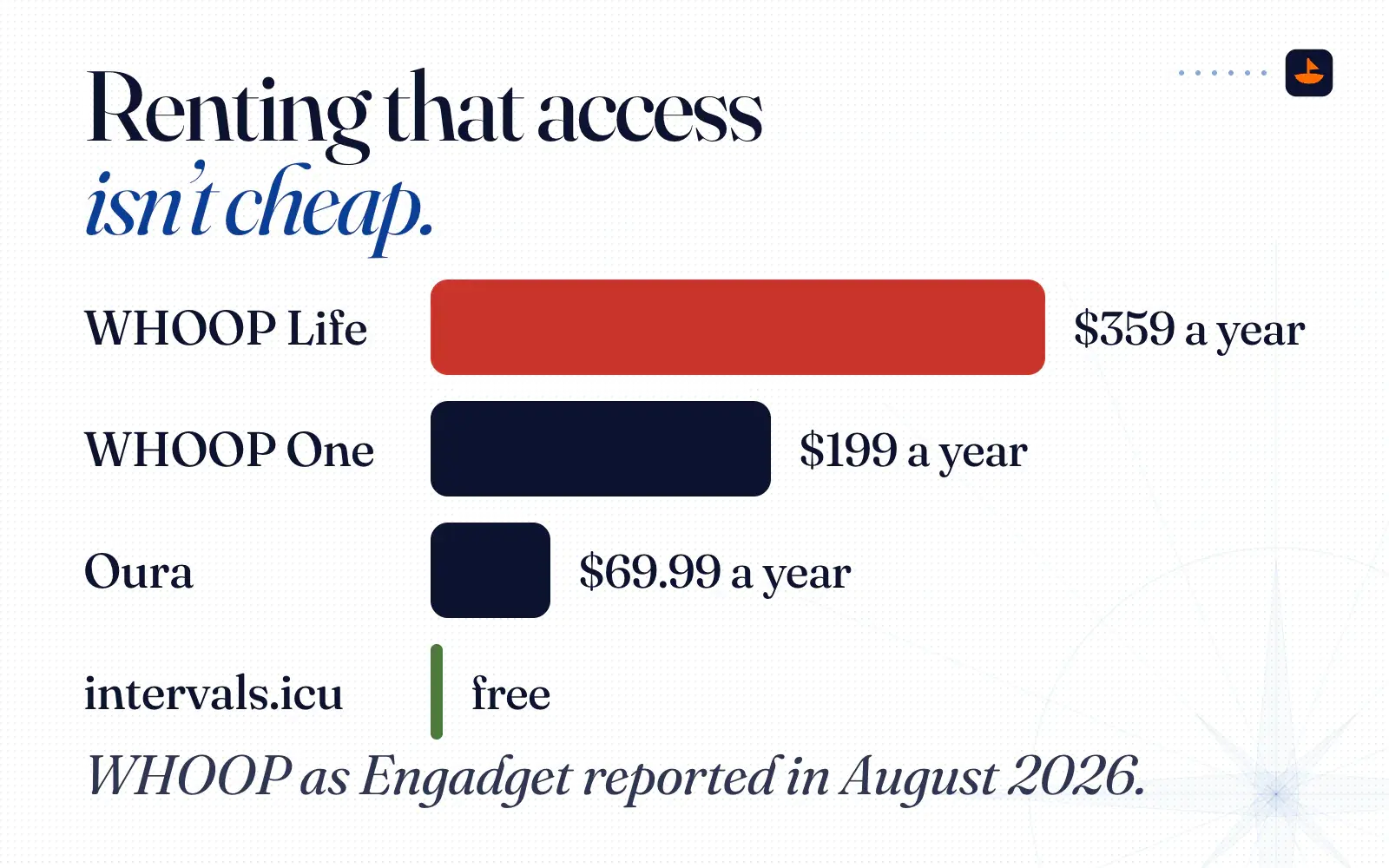
Renting that access isn't cheap. WHOOP's memberships run from $199 a year for One to $359 a year for Life, as Engadget reported in August 2026, and Oura's membership is $69.99 a year in the US. intervals.icu is free.
In the video I'm wearing a $100 Amazfit Helio Strap instead. Amazfit sells it for $99.99 with no required subscription.
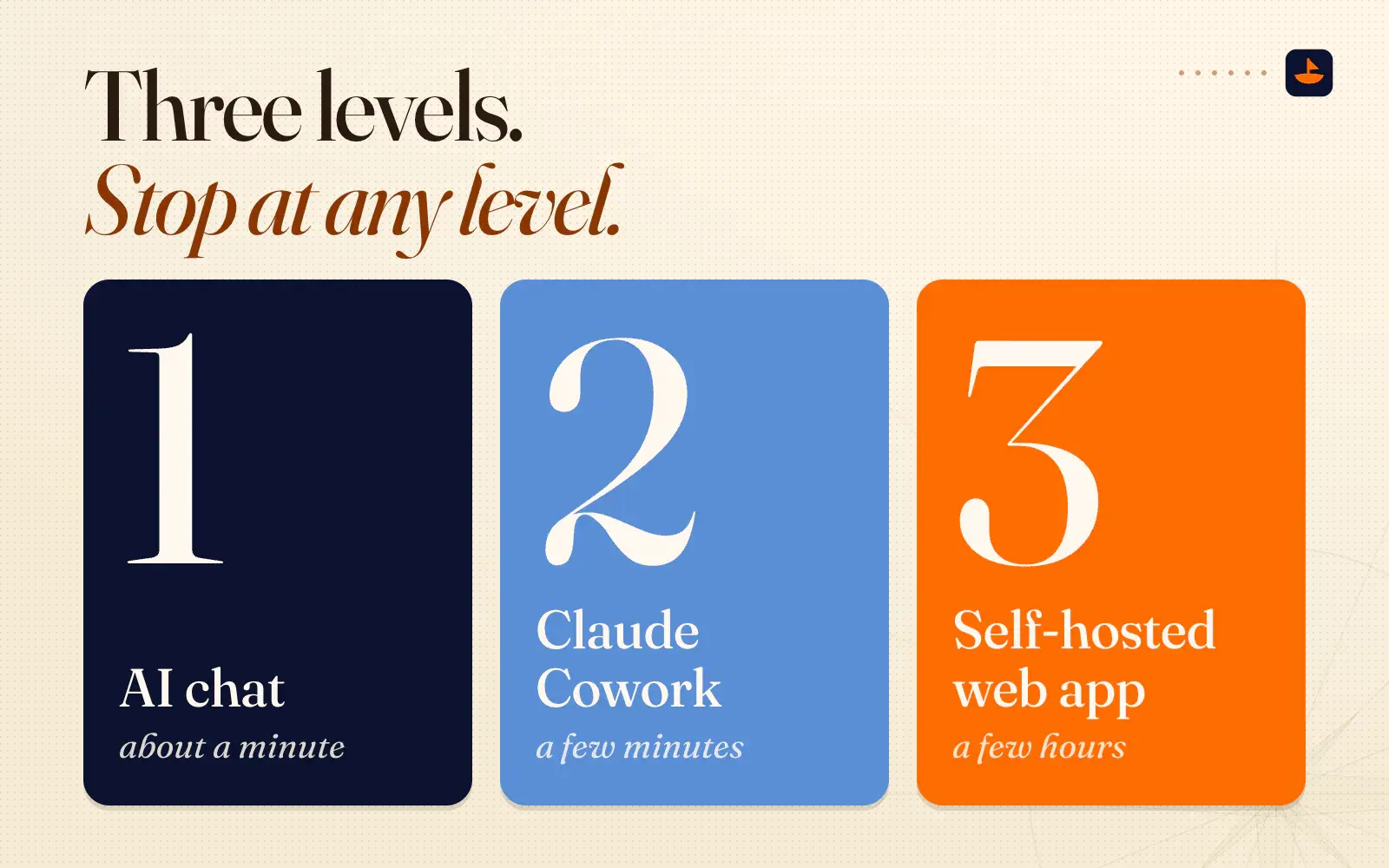
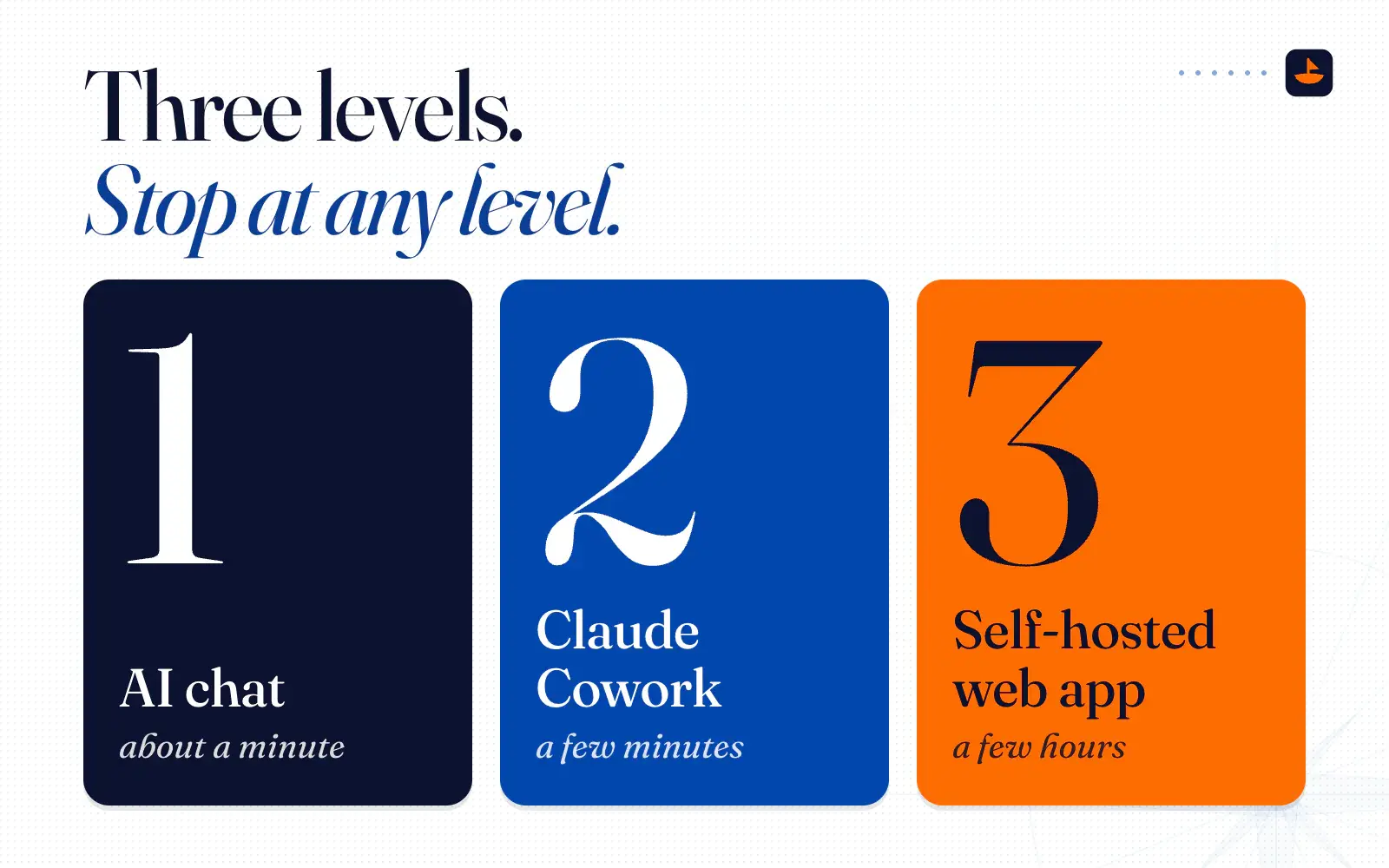
The video walks through three levels: an AI chat that takes about a minute, Claude Cowork that takes a few minutes, and a self-hosted web app that takes a few hours. You can stop at any level and still have something useful.
The hub: intervals.icu
Everything runs through one free tool. intervals.icu calls itself a "free online training platform for cyclists, runners, triathletes and other athletes," and in the video I called it "our data integration layer." Your wearable syncs to it, and you pull your data out of it.
Its integrations page lists Garmin, Polar, Amazfit, Huawei, Suunto, COROS, Wahoo, Oura and WHOOP, among others. Apple Health data gets in through third-party apps. I connected my Helio Strap through the Amazfit integration, which intervals.icu added in June 2025 for activities, steps, sleep and resting heart rate.
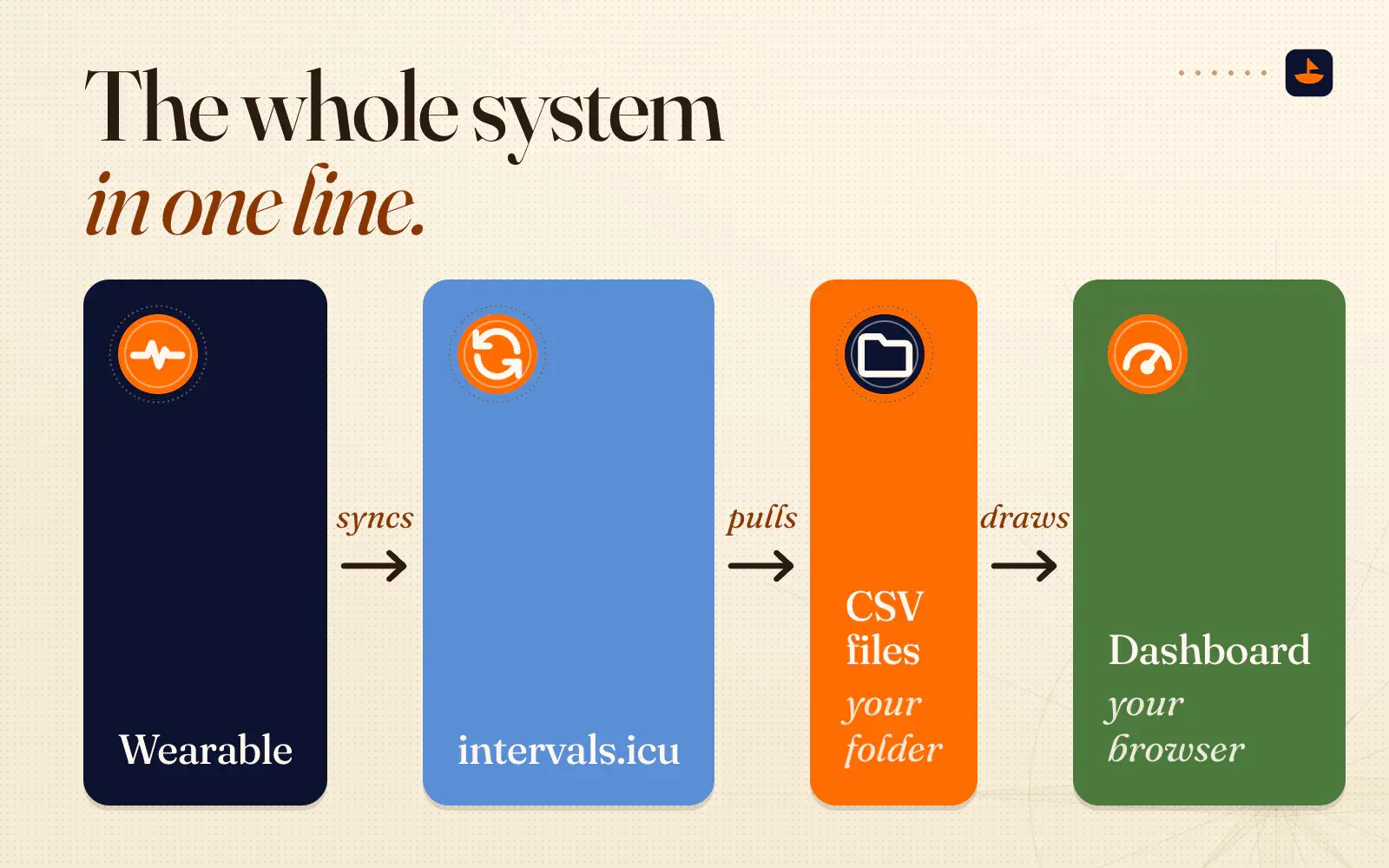
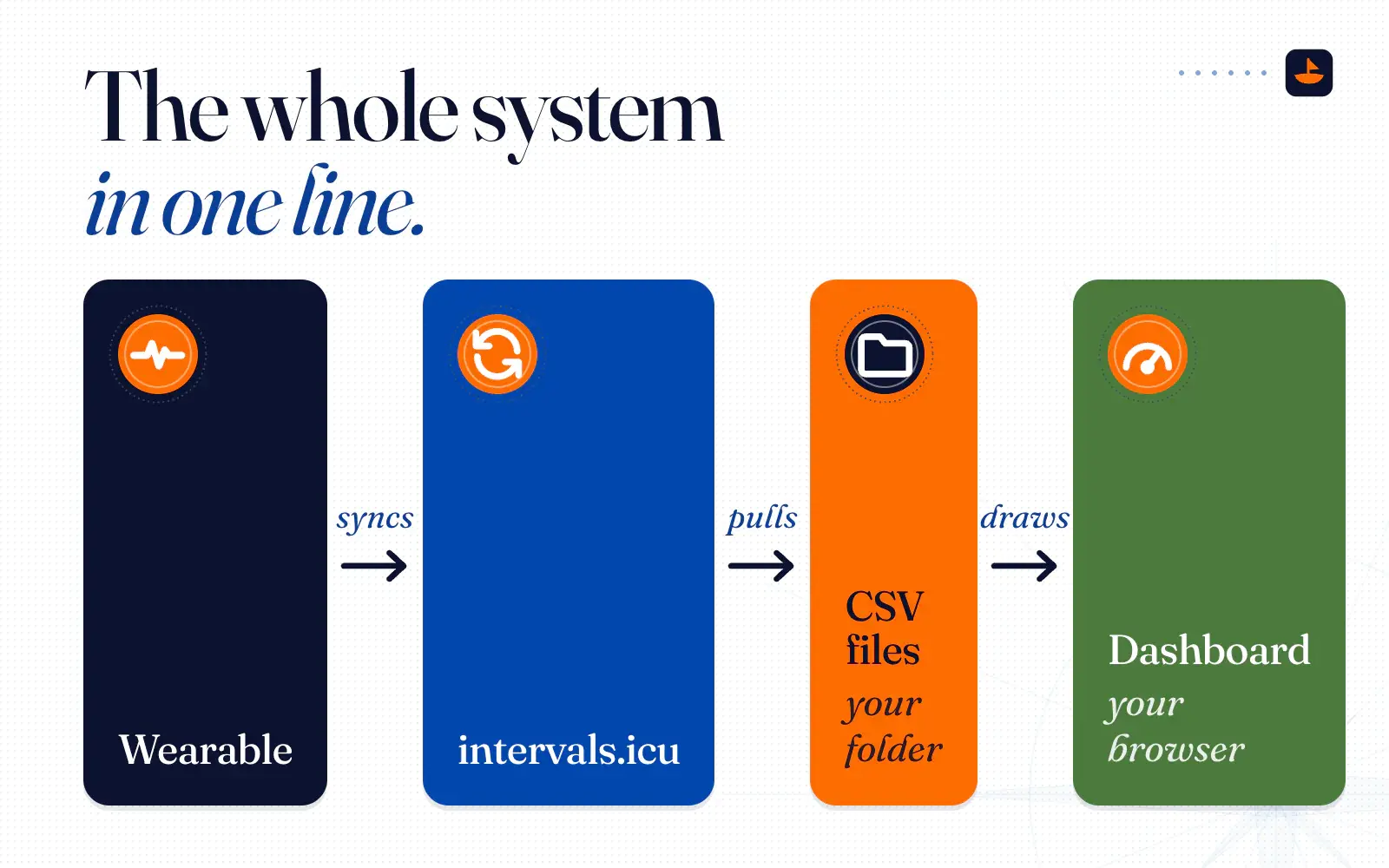
Here's the whole system in one line. Your wearable syncs to intervals.icu, Claude pulls it into two CSV files in your folder, and your browser draws the dashboard from those files.
Level 1: Drop a CSV into any AI chat (about a minute)
This is the fastest way to see what your data has been trying to tell you. No setup beyond an intervals.icu account.
- Connect your device. Make a free intervals.icu account and connect your wearable in its settings.
- Export your activities. On the intervals.icu home page, use the CSV download to export your activities.
- Export your wellness data. Do the same for your wellness data. That's the file with sleep, HRV and resting heart rate in it.
- Open your AI chat. Attach both files and paste the coach prompt below.
- Ask follow-up questions. In plain English, as many as you want.
You are my fitness and wellness coach. I've attached two CSV exports from intervals.icu: my activities, and my daily wellness data (sleep, HRV, resting heart rate and so on).

1. Give me a weekly snapshot: sleep, HRV, resting heart rate, training volume and training load.
2. Show me my trends over the last 30 days, and what is going well.
3. Flag anything that needs attention, like sleep debt or fatigue building up.
4. Look for patterns: day-of-week habits, and how my sleep lines up with my training and my mood.
5. Tell me what to prioritize this week.

Only call out patterns the data actually supports. If something is missing from the files, say so instead of guessing. Keep it short and plain, and explain any term like HRV or CTL in one sentence.
When I did this, I ran the same prompt in ChatGPT, Claude, Gemini and a model running locally through Ollama. ChatGPT finished first, with a weekly snapshot of my sleep, HRV and training and a few red flags to watch. Claude went further and started building me a dashboard. Gemini drew a 30-day fitness and fatigue chart. The local model used no internet at all, so it would have kept working with my Wi-Fi off. They all told me the same thing: sleep better.
If a chart doesn't make sense, ask. I'd never seen a fitness and fatigue chart, so I asked Gemini to explain the lines like I'm five. My takeaway was, "I want blue to keep going up, but I don't want red too far and separate." In the kit, fitness is a 42-day weighted average of your daily training load, fatigue is a 7-day one, and form is fitness minus fatigue.
Level 2: A dashboard in a folder, with Claude Cowork (a few minutes)
Level 1 is a one-off. Level 2 is the thing you use every day. It runs in Claude Cowork, which is in the Claude desktop app. Here's how I described it in my walkthrough: "You point it at a folder, it reads what's inside, and it creates, edits, and manages the files for you. It's basically an AI agent that lives on your machine." Claude can only read and write files in folders you've connected.
- Download the kit. Grab the free Wellness Dashboard Kit and unzip it. Before you set anything up, open dashboard.html in your browser. It shows sample data for a made-up athlete, so you can see what you're getting.
- Open the folder in Cowork. In the Claude desktop app, start a Cowork task and choose the wellness-dashboard folder.
- Say the words. Type "Set up my wellness dashboard."
- Answer the questions. Claude asks one at a time: your name, age and weight, your resting and max heart rate if you know them, your wearable, your intervals.icu details, a dashboard theme, what matters most to you, your typical training week and your goals.
- Connect intervals.icu. In intervals.icu, open Settings and scroll to Developer Settings. Copy your athlete ID and API key into the chat. That key opens your whole account, so treat it like a password. As I said while recording the setup, "you should never show people your API keys." The kit keeps it in config.json and never writes it into the dashboard.
- Let it build. Claude syncs your last 30 days, writes the two CSV files, builds dashboard.html and opens it in your browser. On my run it pulled in 38 activities and 31 wellness days. The first setup is the slow part. After that it goes fast.
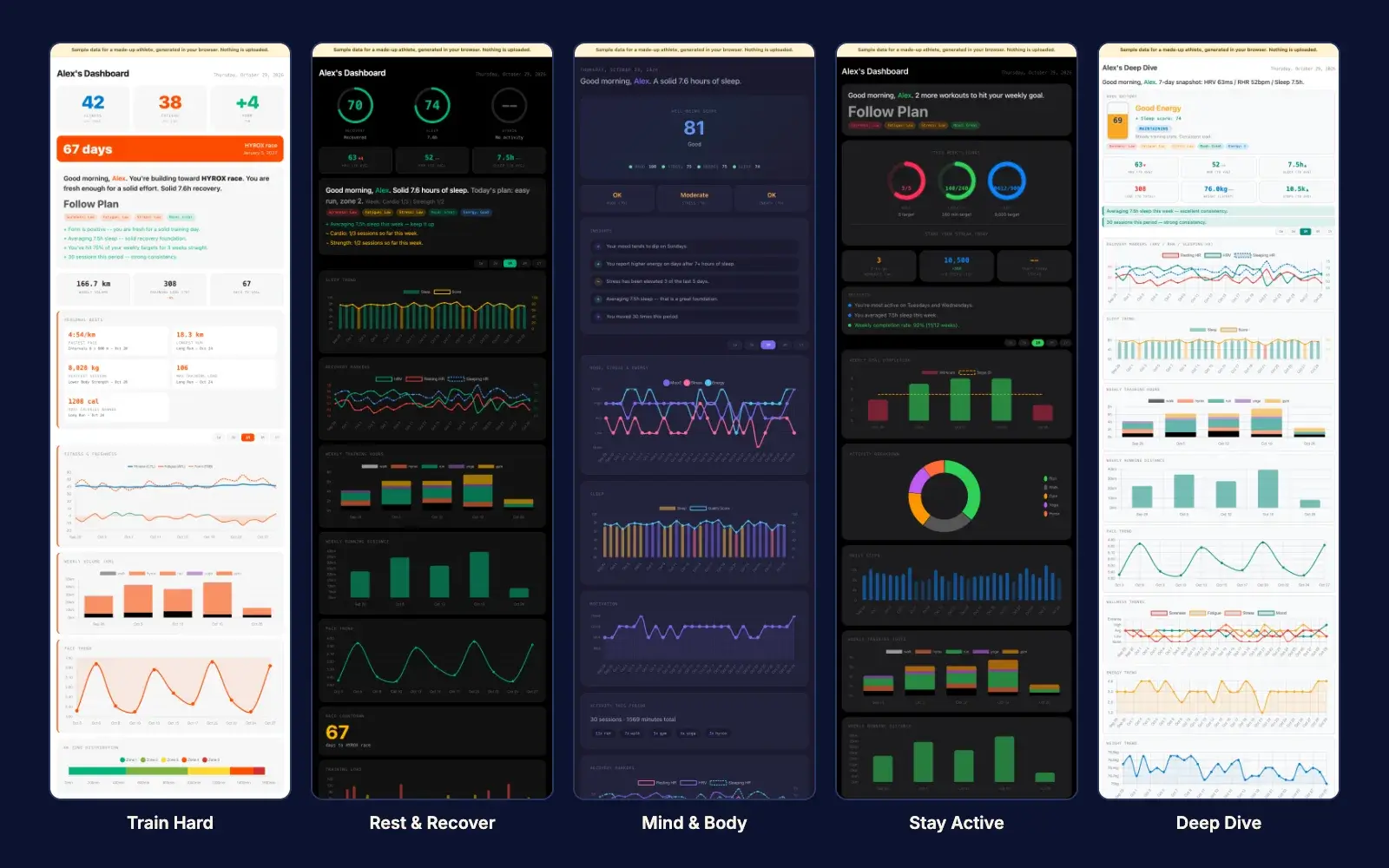
There are five themes, and each one puts a different question first. Rest & Recover asks "Should I push or rest today?" Mind & Body asks "How am I feeling overall?" Stay Active asks "Am I showing up?" Train Hard asks "Am I getting faster?" Deep Dive shows every metric and every chart. For HYROX I picked Train Hard.
The morning check-in
This is the daily habit. As I put it in the walkthrough, "you pull up Claude on your desktop, you're sipping your coffee in the morning, and you type in check-in." Claude opens with a briefing: last night's sleep, your 7-day sleep trend, what today is on your schedule, what you did yesterday and how your week is tracking. Then it asks how you slept, your energy, soreness, fatigue, stress, mood and motivation, and whether anything is on your mind. That last answer goes into a private journal column that never shows on the dashboard.
Then comes the part Claude adds. Claude reads your whole history, gives you two or three patterns it can actually back up, and recommends what to do today. When I saw my first insights I said, "I didn't see this when I was using my Apple Watch. I don't see this on my Whoop or my Garmin."
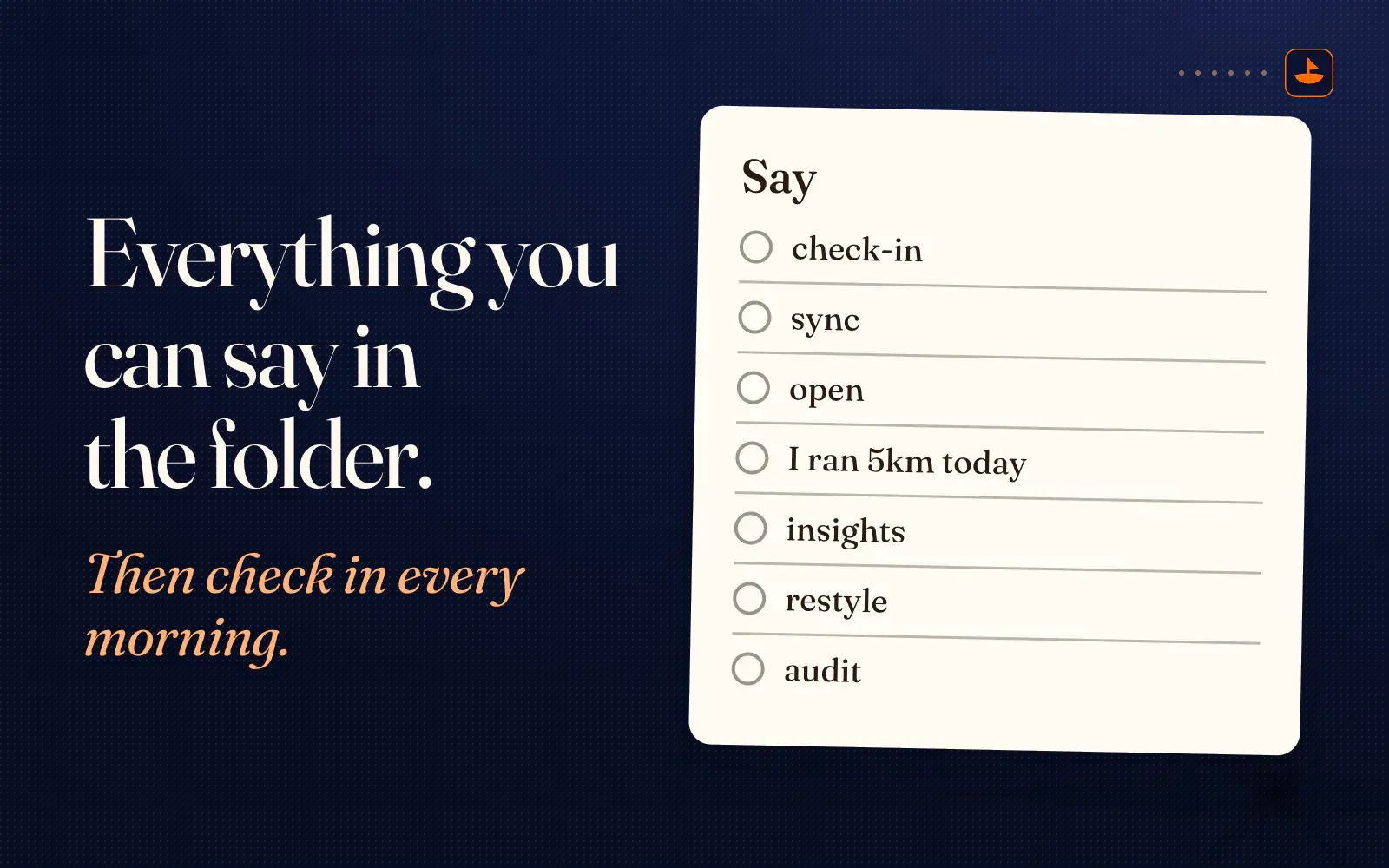
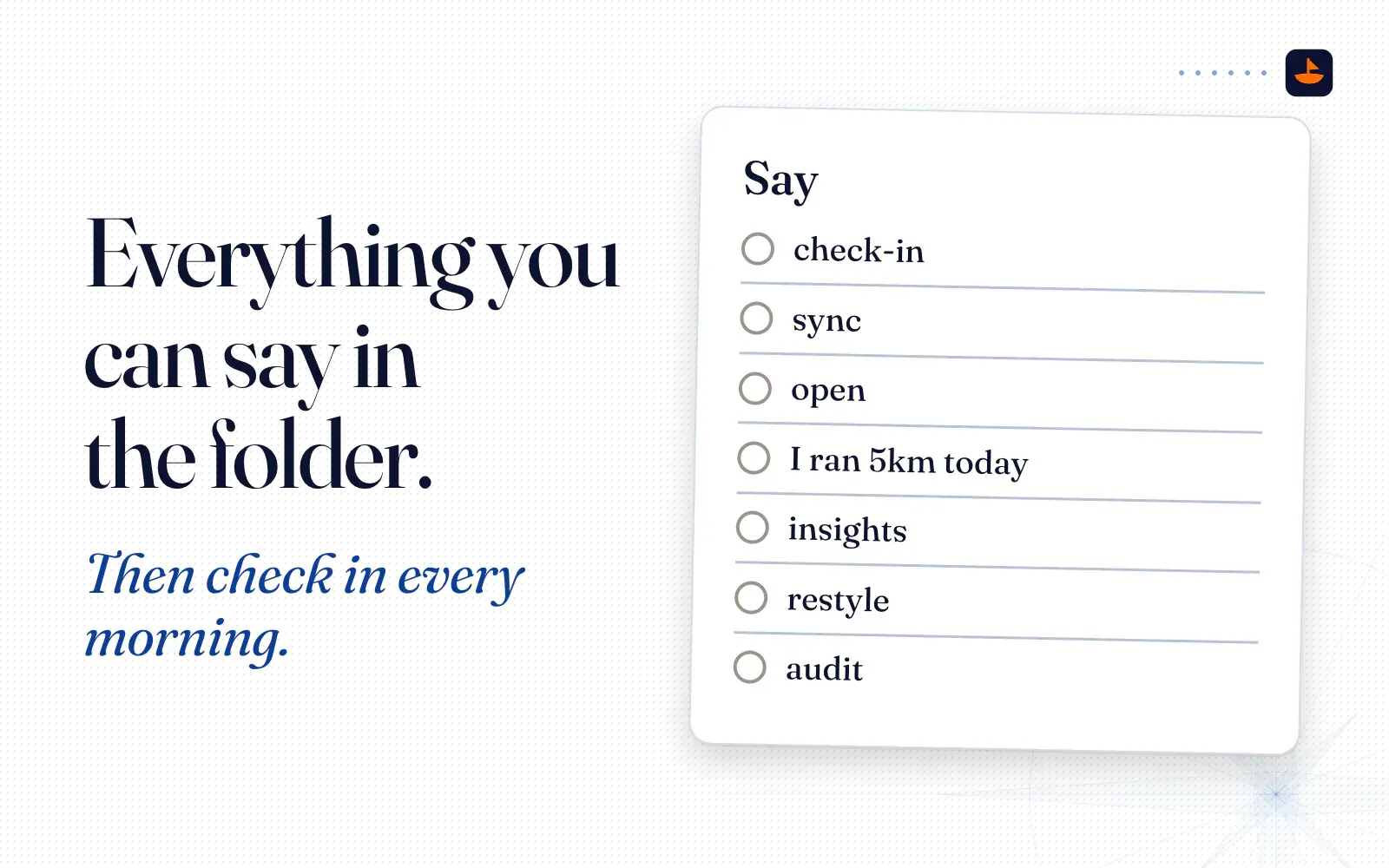
Here's everything you can say in the folder:
- check-in: your morning briefing and check-in
- sync: pull the latest from intervals.icu
- open: open your dashboard in the browser
- "I ran 5km today": log a workout by hand
- insights: patterns across sleep, training, mood and energy
- restyle: switch to another theme
- audit: confirm no data leaves your computer
Make it yours
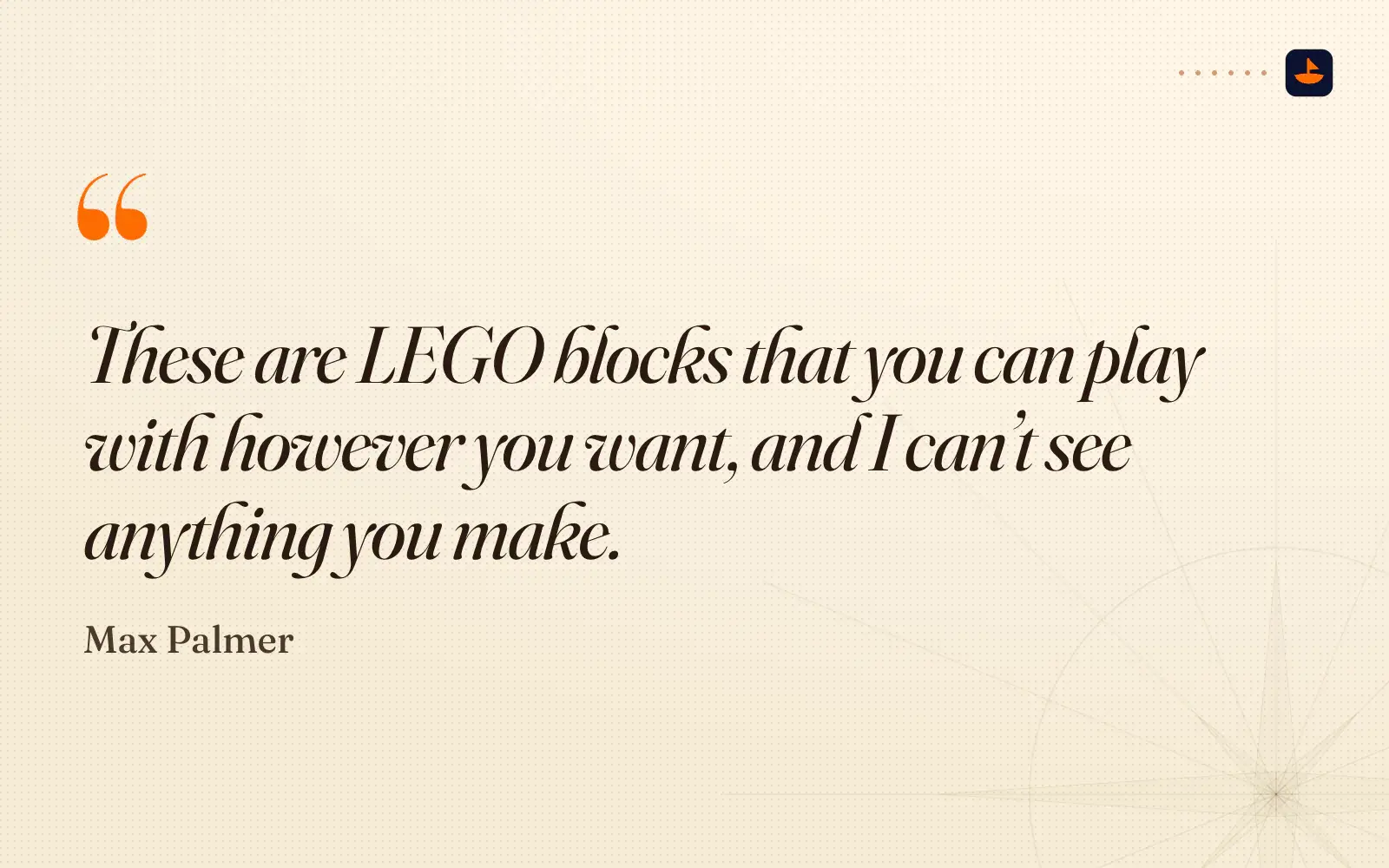
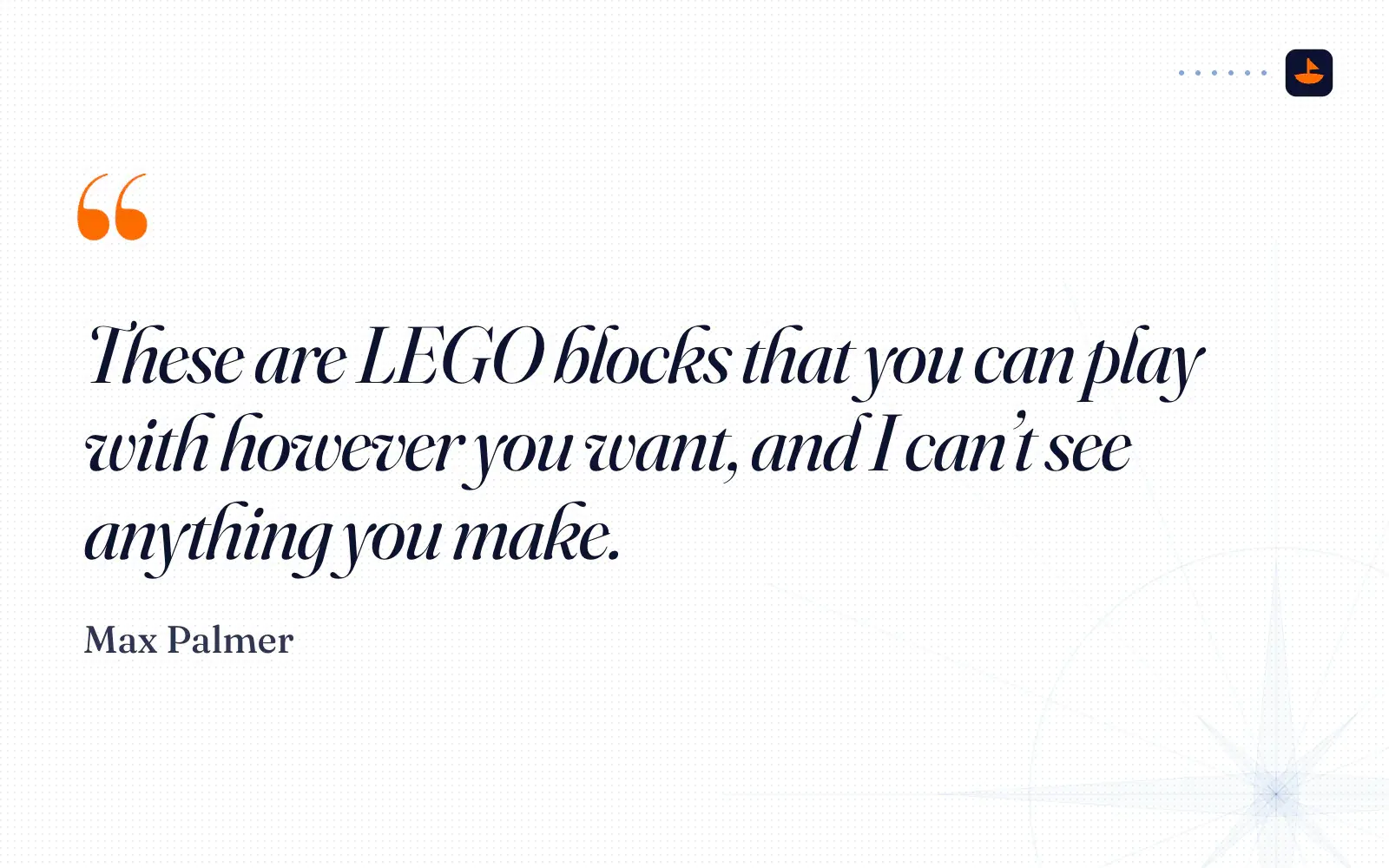
The dashboard is one HTML file, and you can change anything about it by asking. Different colors, a radar chart instead of bars, a section for your journal. In the video I asked Claude to make the morning greeting talk like Yoda, and my dashboard came back with, "Accumulated fatigue you carry. Disciplined with intensity you must be." The point wasn't Yoda. The point is that the files are yours. "These are LEGO blocks that you can play with however you want, and I can't see anything you make."
What stays on your computer
Your data lives in the folder as CSV files. The dashboard only reaches out to two places: intervals.icu, when you sync or a check-in writes back to your account, and a CDN that serves Chart.js, the library that draws the charts. No analytics, no tracking.
Claude is the exception, and it's worth being clear about. Claude reads your files to answer you, so whatever it reads is sent to Anthropic to be processed, like anything else you share with Claude. In the video I called Cowork "the best of both worlds, because it's still technically local. Yes, I'm using Claude to process some stuff." On Free, Pro and Max plans you choose in Claude's Privacy Settings whether your chats can be used to improve its models. Check that before you start. If you want zero internet, run Level 1 with a local model in Ollama.
You also don't have to take my word for any of this. Say "audit my wellness dashboard" and Claude reads every file and reports back. As I said when I recorded the setup, "you don't need to trust me for it. You can inspect all the files yourself."
Try it in your browser
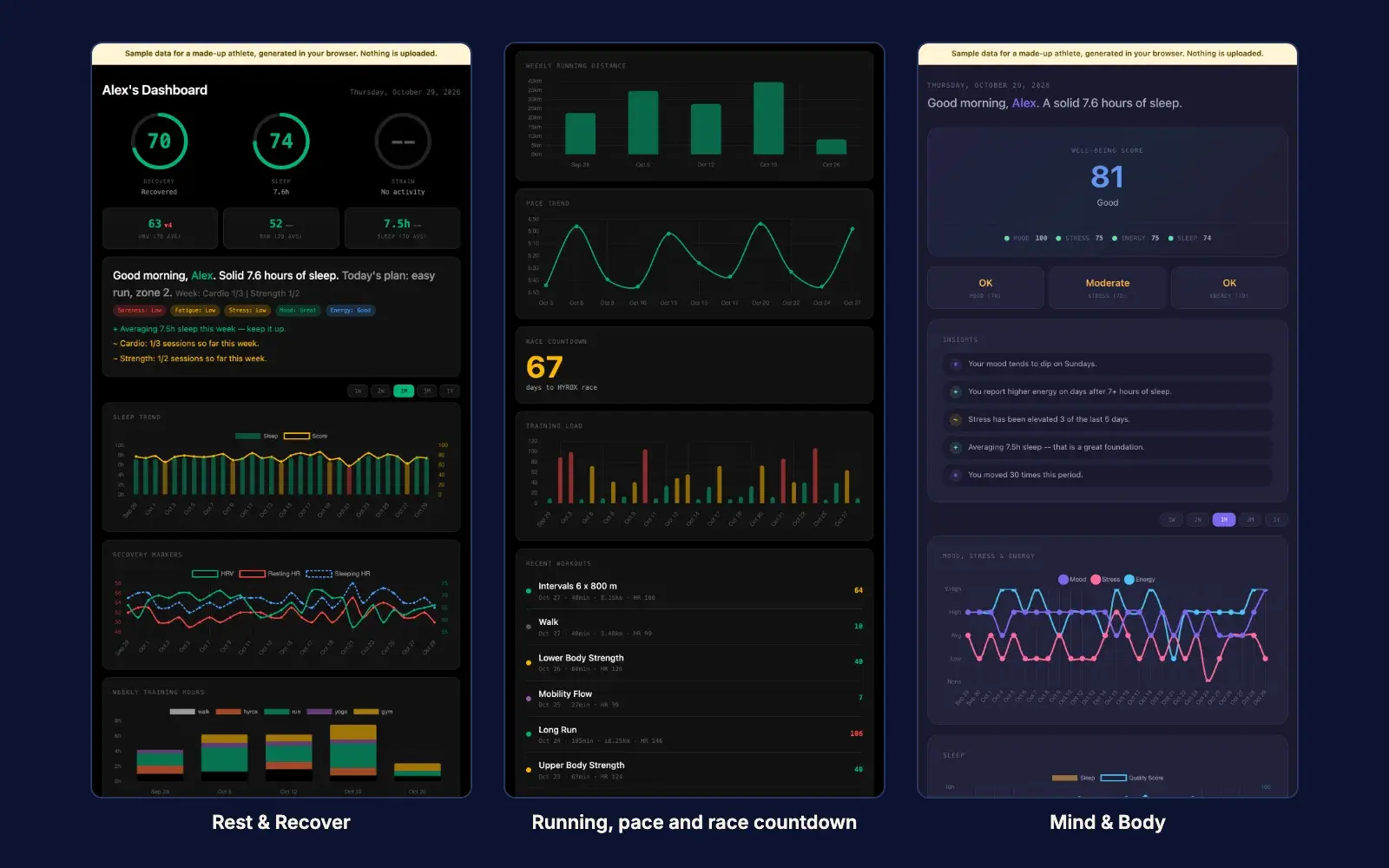
You can click through all five themes on the live demo before you download anything. It runs on made-up numbers for a sample athlete called Alex, generated in your browser, and nothing is uploaded. These screenshots come from the same demo.
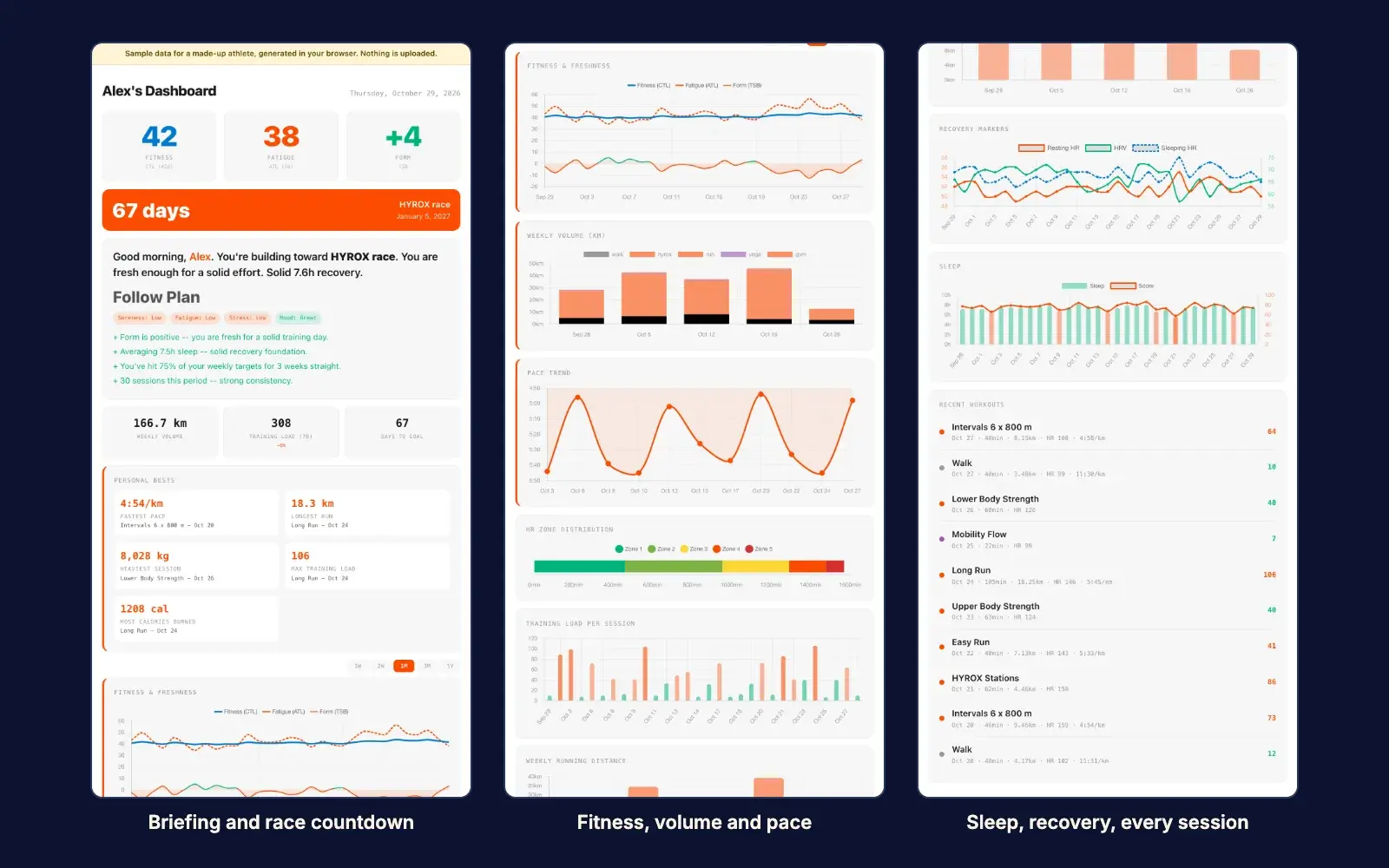
Rest & Recover puts last night's sleep and a recovery score first. Mind & Body leads with a well-being score built from your mood, stress, energy and sleep.
Why a CSV is the whole trick
When I recorded the setup I said, "the genius of the system isn't really any of the things I did, it's just the fact that it takes advantage of a simple CSV system to save all the data for you." A CSV opens in Excel, Google Sheets or any text editor.
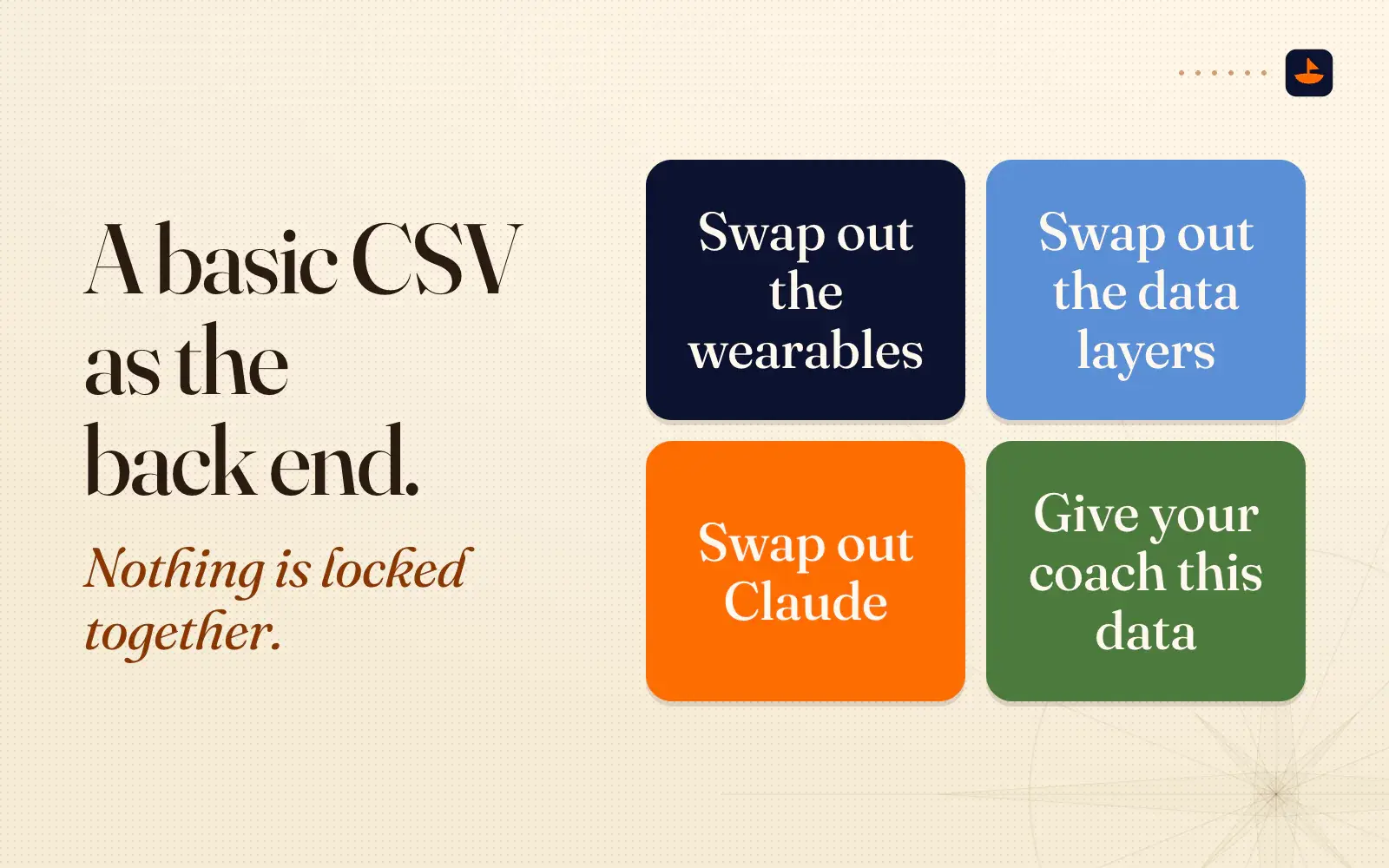
That also means nothing is locked together. "By having a basic CSV as like the back end of this, you could swap out the wearables, you could swap out the data layers, you could swap out Claude." And because it's just a file, "you could also give this data to your doctor, you could give this data to your fitness coach." In the walkthrough I said it directly: "I want my tools to be agnostic of the applications and the service providers."
Level 3: Your own web app (a few hours)
For Level 3, I built a private web app for myself on Cloudflare. It's the same idea with a database instead of a folder. I could check in from my phone, even while traveling, and every check-in saved to a Cloudflare D1 database behind a login, so only the people I chose could get in. In the video I said, "I'm spending $0 to do all this." Cloudflare's free plan covers 100,000 Worker requests a day, and its free D1 tier allows 5 million rows read and 100,000 rows written a day, with 5 GB of storage.
It's a bigger build, and I said so in the video: "that will be a much longer video. Take a few hours to actually do that." If you want to try it, these two posts cover the stack: why I build on Cloudflare and how I build a website with AI.
But you don't need Level 3. In the video I put it plainly: "honestly, this is just as good. It lives locally on your computer."
The short version
Export your activities and wellness data from intervals.icu and ask any AI chat what they mean. When you want it every day, download the Wellness Dashboard Kit, open the folder in Claude Cowork and say "Set up my wellness dashboard." Then check in every morning. If you want it on your phone, build Level 3 on Cloudflare.
Try the live demo first if you're not sure. I post what I'm building on X @PalafoxPalmer.